Carrying Out Basic Searches
Modified on Wed, 14 Aug, 2024 at 2:47 PM
TABLE OF CONTENTS
Introduction
This article will explain how you can carry out basic searches when using the AdviseInc Platform.
Step-by-Step Guide
1. There are several ways of searching in the AdviseInc Platform.
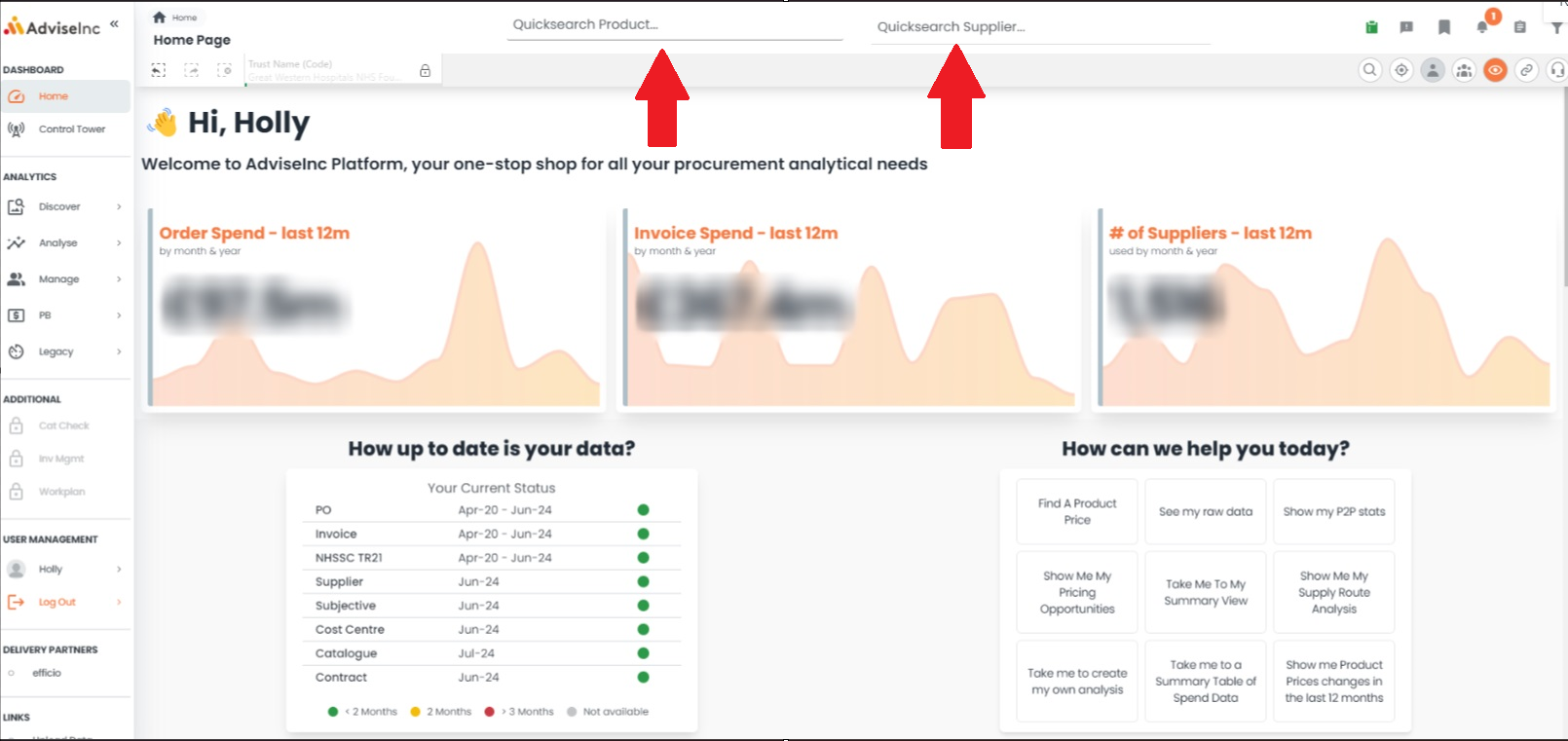
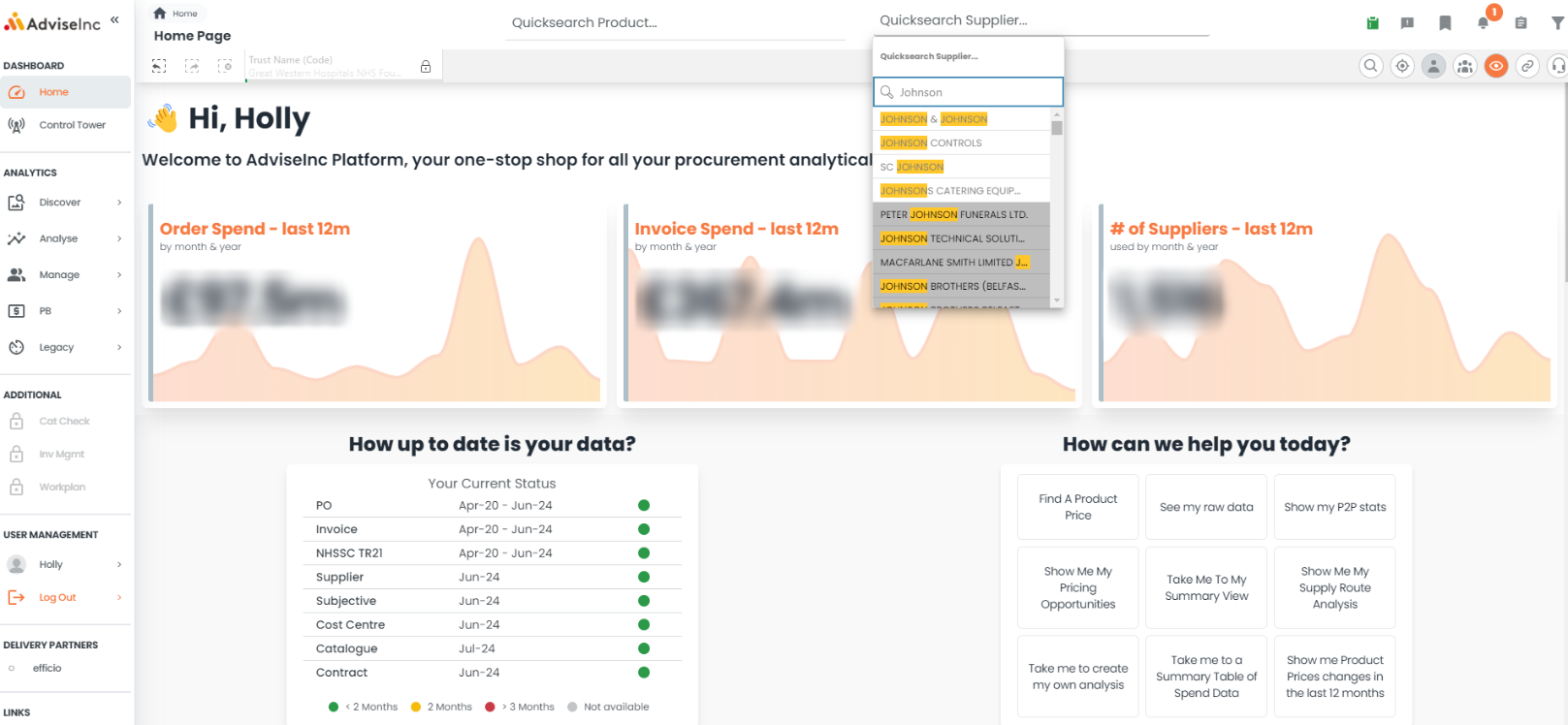
2. If you wish to search by either Product or Supplier, there are two dedicated search bars located at the top of the screen, as shown in the image below.
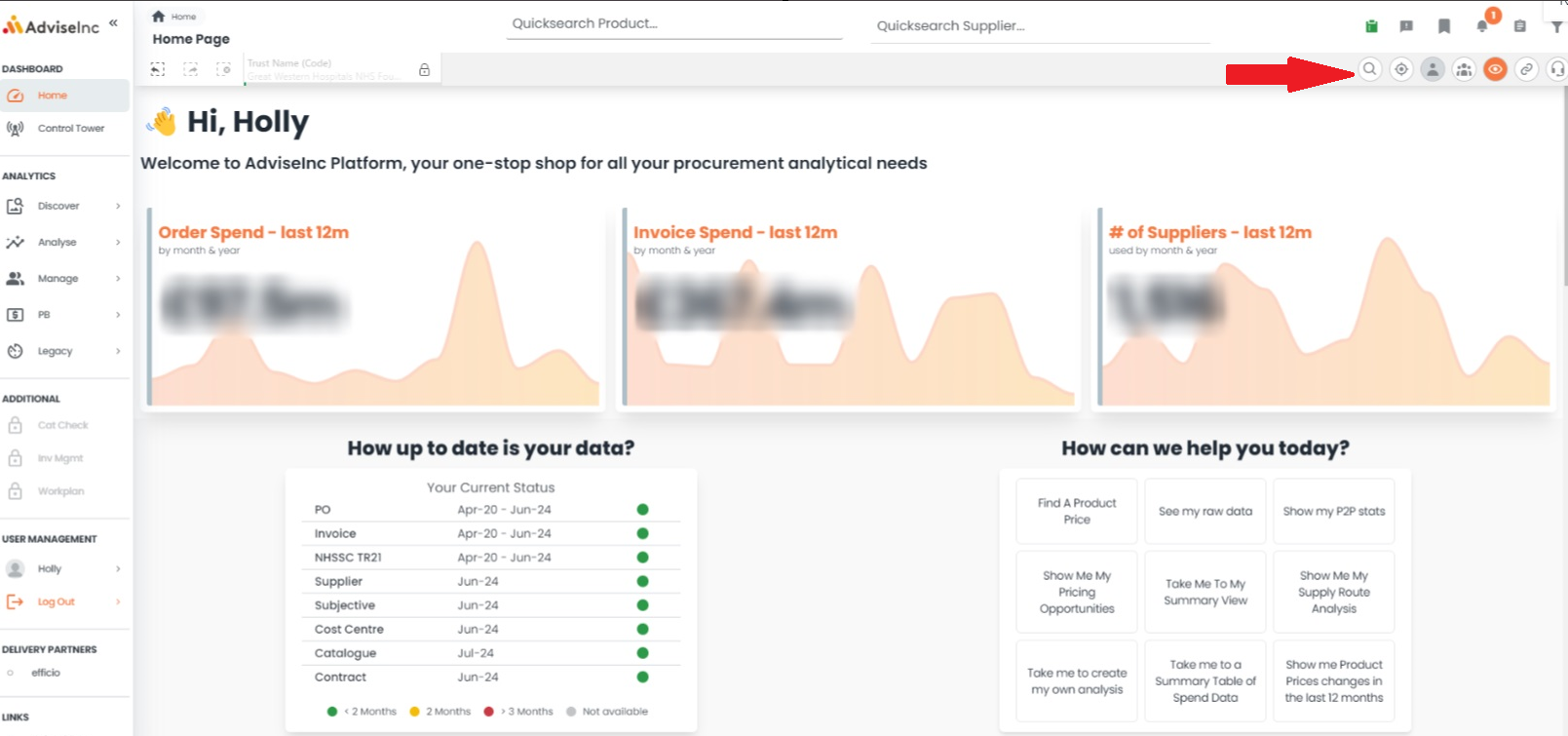
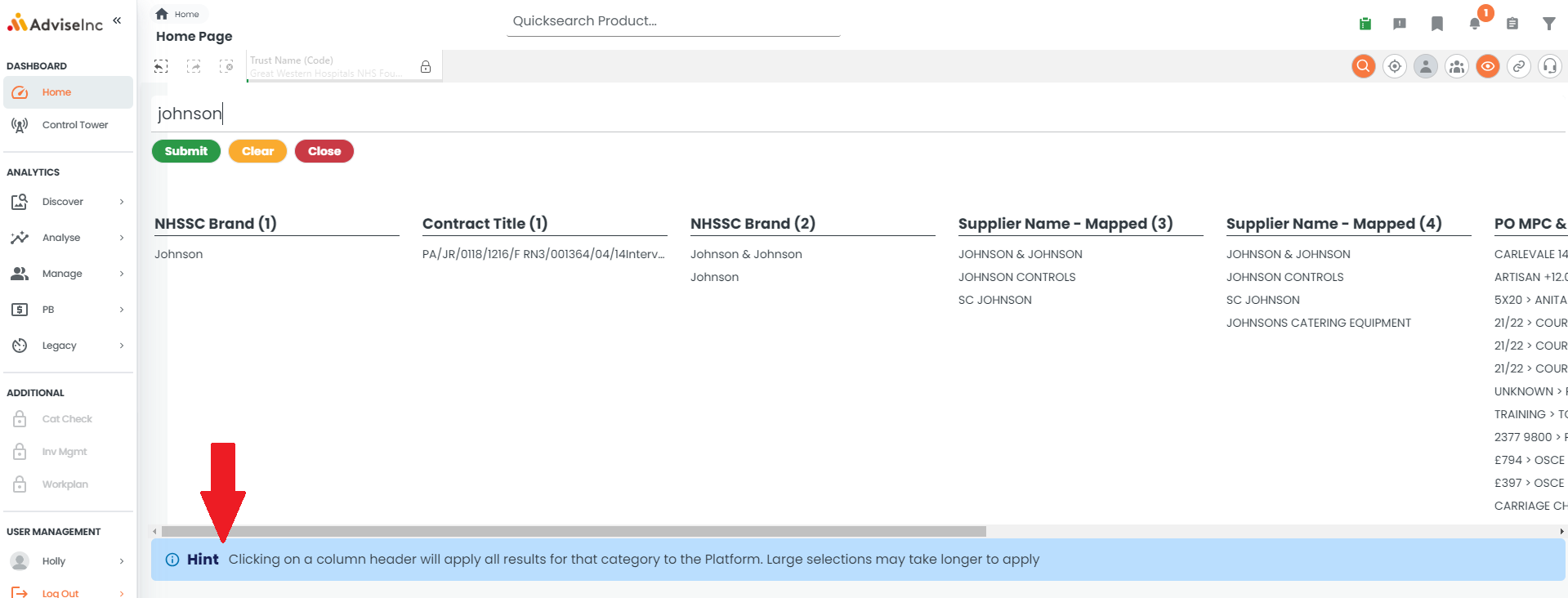
3. You can also perform a general search by selecting the 'search' option, which will bring up the search bar. After you have confirmed your search, results will be split under different column headings. As the Hint shows, selecting a column header will apply all results for that category to the Platform
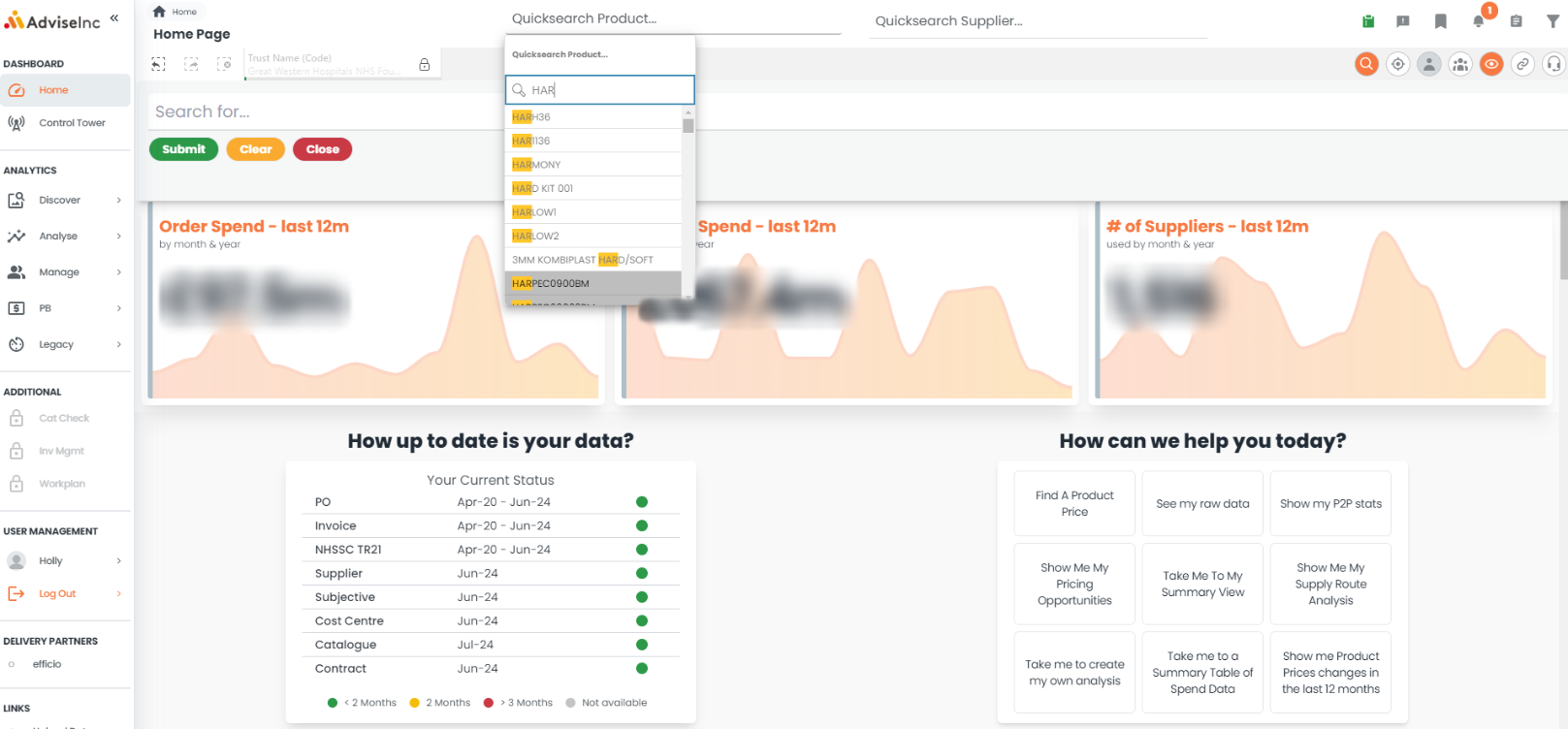
4. You'll notice that when using the Product and Supplier searches, as you start typing your search term, a list of all matches will appear. These will narrow down to suit exactly what you're looking for the more you type.
If you have any questions, please don't hesitate to get in touch at support@adviseinc.co.uk or phone us on 0207 122 9222
Was this article helpful?
That’s Great!
Thank you for your feedback
Sorry! We couldn't be helpful
Thank you for your feedback
Feedback sent
We appreciate your effort and will try to fix the article