Raising Issues/Bugs
Modified on Wed, 14 Aug, 2024 at 3:05 PM
TABLE OF CONTENTS
Introduction
This article with explain what to do if you identify an issue/bug when using the AdviseInc Platform.
Step-by-Step Guide
1. Make a note of the issue/bug you have found.
2. Select the icon as shown in the image below.
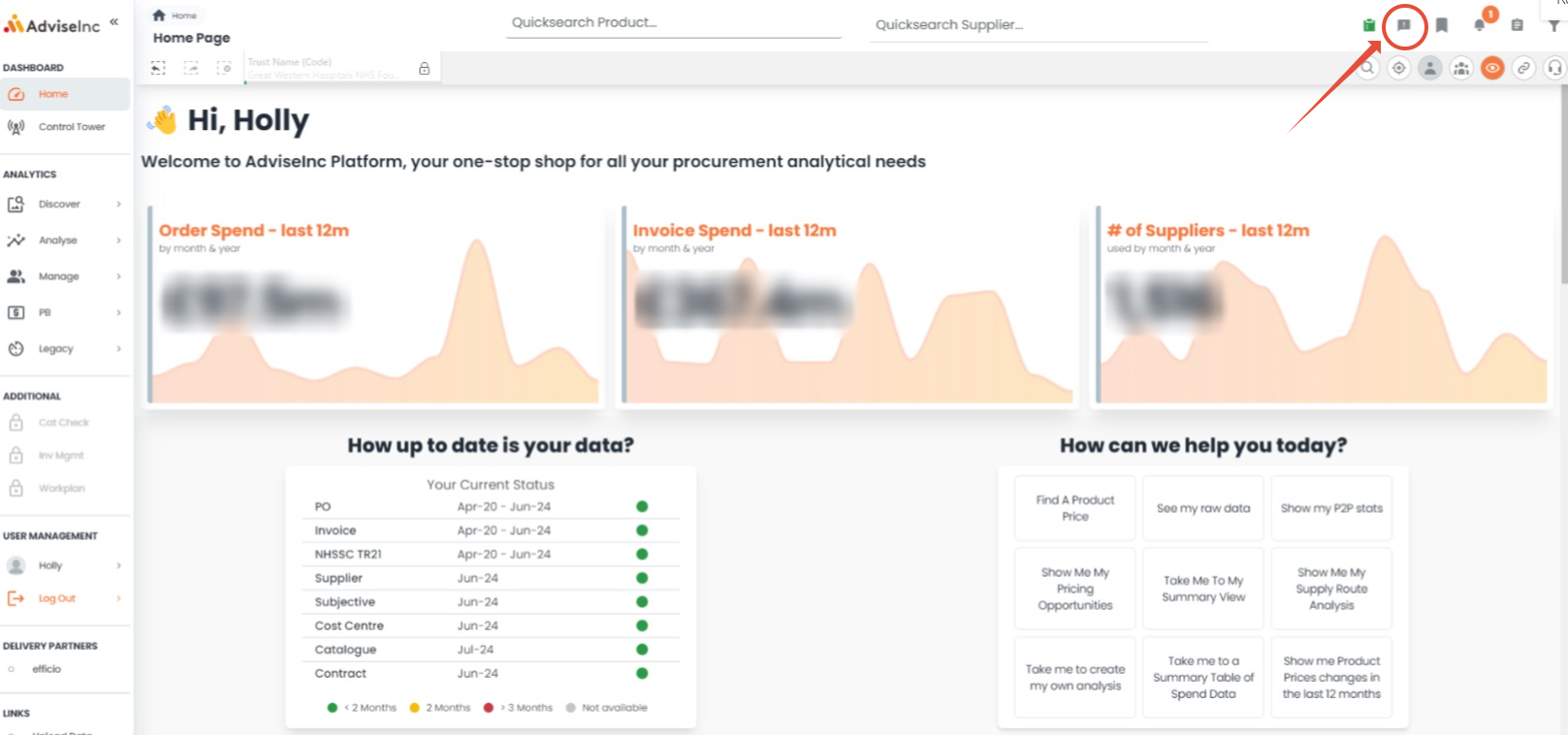
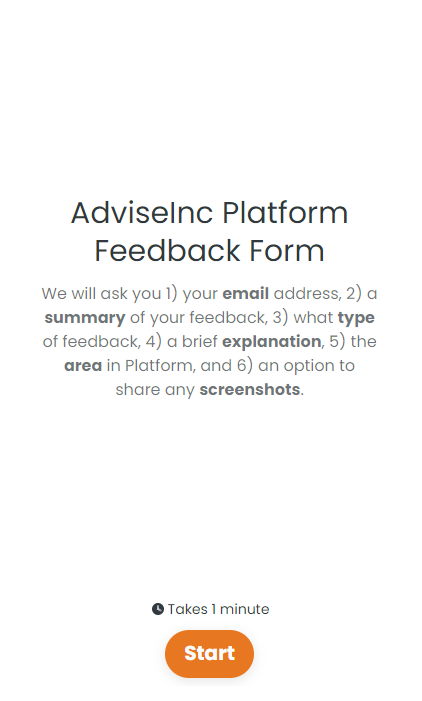
3. Fill in the fields in the drop-down with as much information as possible, there is the option to add a screenshot at the end of the form. If there is anything you are unsure of, please email the team on support@adviseinc.co.uk
If you have any questions, please don’t hesitate to get in touch at support@adviseinc.co.uk or phone us on 0207 112 9222.
Was this article helpful?
That’s Great!
Thank you for your feedback
Sorry! We couldn't be helpful
Thank you for your feedback
Feedback sent
We appreciate your effort and will try to fix the article