How to Select a Group of Organisations
Modified on Wed, 14 Aug, 2024 at 3:20 PM
TABLE OF CONTENTS
Introduction
This article explains how you can select more than one organisation when using the AdviseInc Platform.
Step-by-Step Guide
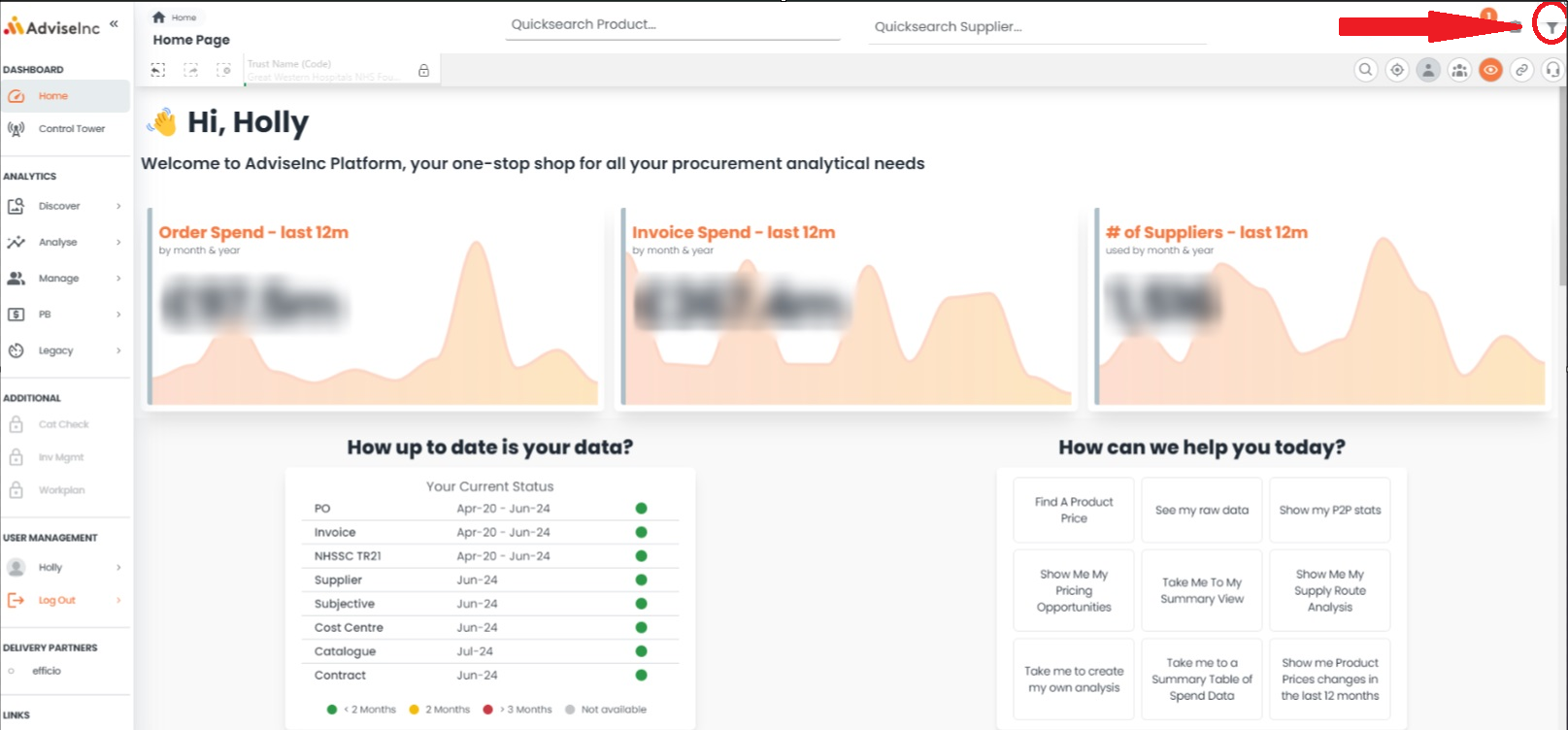
1. To select more than one organisation, navigate to the filters option in the top right corner.
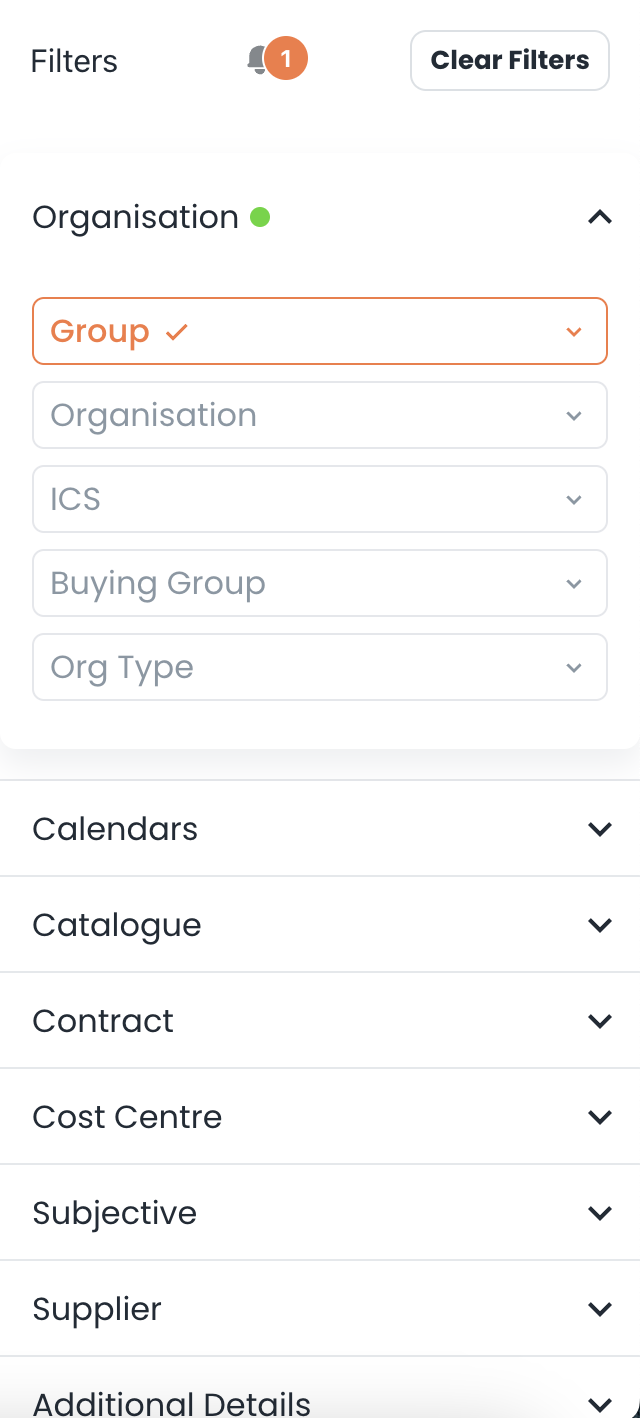
3. After selecting the Organisation filter, you'll also have the option to select by Organisation, ICS, or Buying Group.
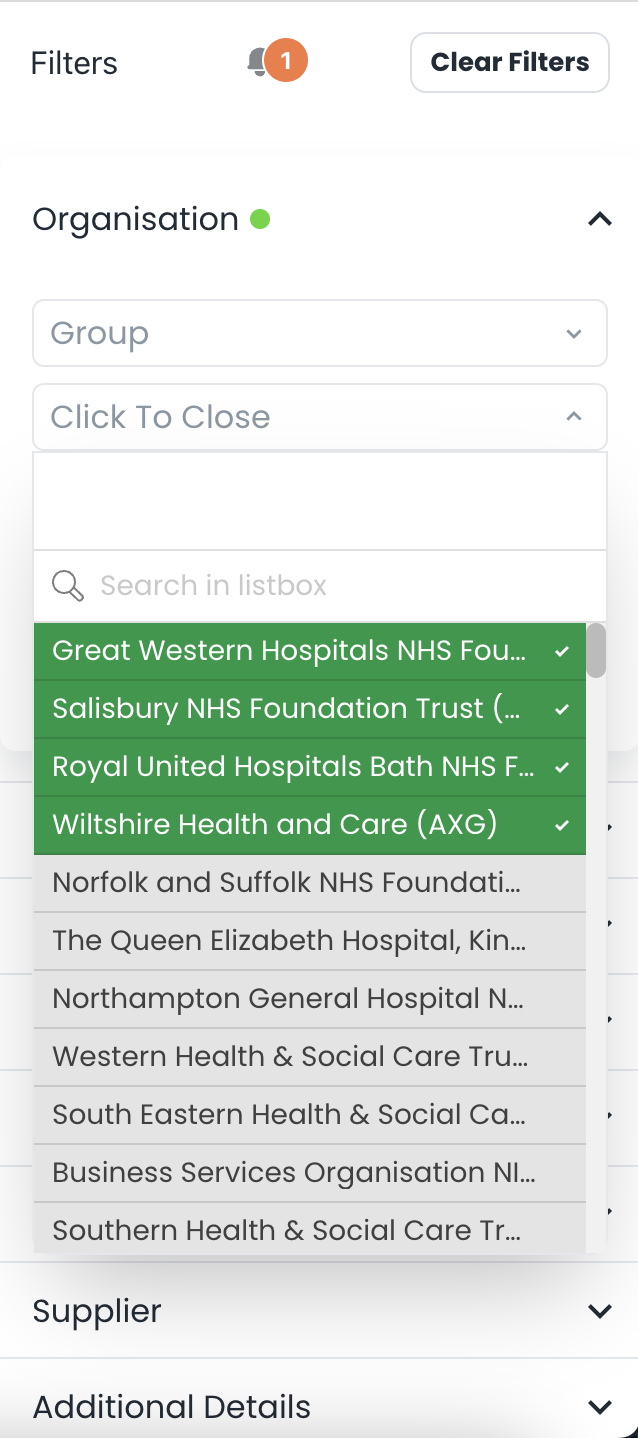
4. To add multiple organisations to your current selection, simply tick the box next to the organisations you wish to include, as shown.
If you have any questions, please don’t hesitate to get in touch at support@adviseinc.co.uk or phone us on 0207 112 9222.
Was this article helpful?
That’s Great!
Thank you for your feedback
Sorry! We couldn't be helpful
Thank you for your feedback
Feedback sent
We appreciate your effort and will try to fix the article