How to View top X products and suppliers by opportunity and spend
Modified on Wed, 14 Aug, 2024 at 3:41 PM
TABLE OF CONTENTS
Introduction
Within Platform, it is possible to view your top products, benchmarked products and suppliers by a number of measures, including spend and opportunity.
To determine opportunity, you can choose to filter by opportunity to NHS minimum (Opp to Min) or by opportunity to NHS median (Opp to Med).
To determine spend, you can choose to filter by PO Spend or by Invoice Spend.
Step-by-Step Guide
1. Click on the quick filter button from the top right icons
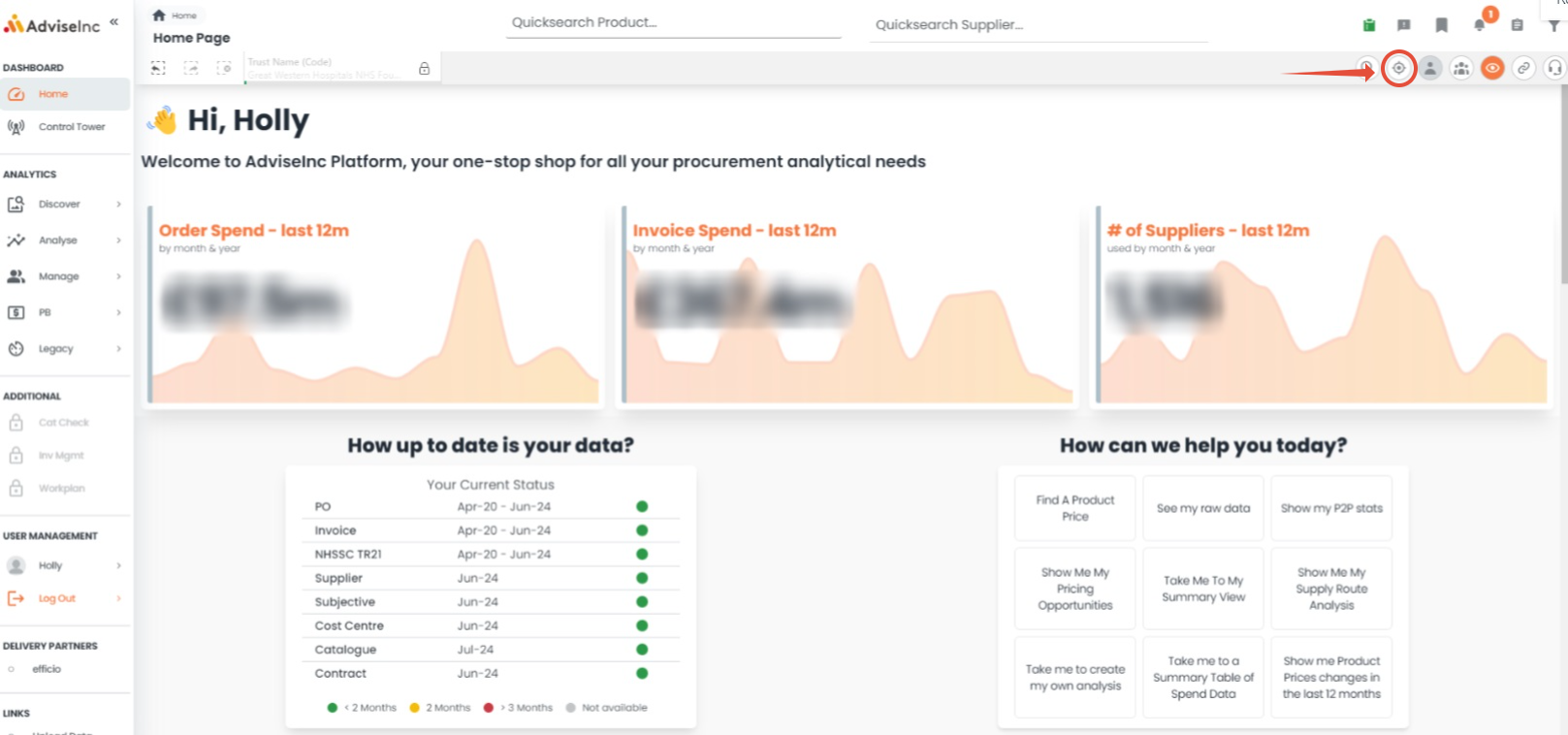
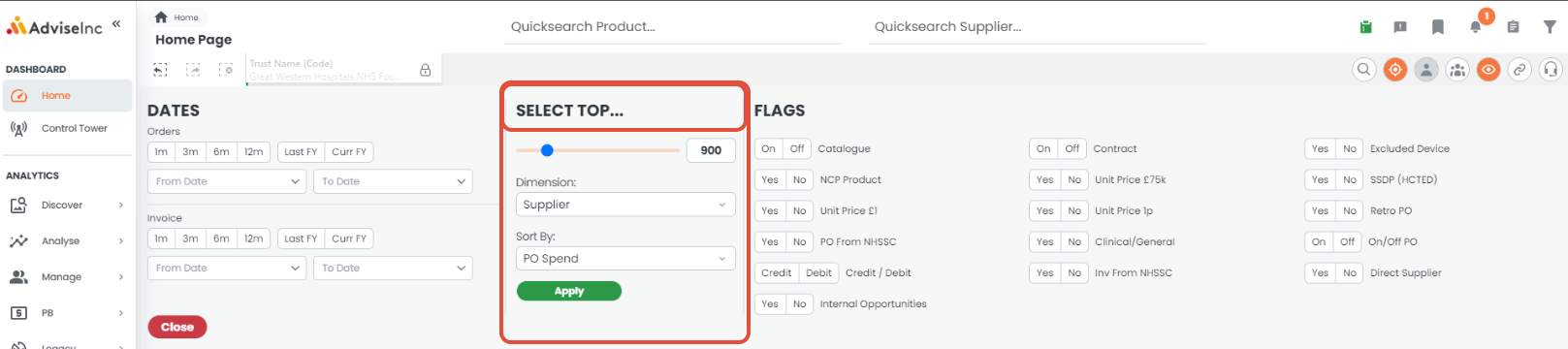
2. Under 'SELECT TOP...' drag the slider to the number you wish, eg if you want to focus on the top 500 slide the bar to 500.
3. Choose your desired dimension from the list eg supplier
4. Choose your desired measure eg if you wish to see the top 500 suppliers by PO spend select PO spend. Please note that this will select the top based on the filters you already have selected. For example, dates, suppliers, cost centres etc will all influence the results. Ensure you have added the desired filters prior to using the select top option.
5. Click Apply. These selections will now appear within your current sections bar and bell.
Definitions
- Products - this includes all lines we can see a genuine MPC for and may include services as well as products
- Benchmarked products - these are narrowed down to just products where we can benchmark their spend against other organisations or other times the product, not service, has been purchased
- PO Spend - the total spend on PO within the selections you have. eg if you are filtered on the last 12 months it will be the top based on spend in the last 12 months
- Invoice Spend - the total spend on Invoice within the selections you have. eg if you are filtered on the last 12 months it will be the top based on spend in the last 12 months
- Opp to Min - This is based on the opportunity available to you by moving to the minimum NHS price we can see for each product and the total opportunity we can see within the selections you have.
- Opp to Med - This is based on the opportunity available to you by moving to the median NHS price we can see for each product and the total opportunity we can see within the selections you have.
If you have any questions, please don’t hesitate to get in touch at support@adviseinc.co.uk or phone us on 0207 112 9222.
Was this article helpful?
That’s Great!
Thank you for your feedback
Sorry! We couldn't be helpful
Thank you for your feedback
Feedback sent
We appreciate your effort and will try to fix the article