How to View Retrospective POs
Modified on Wed, 14 Aug, 2024 at 3:25 PM
TABLE OF CONTENTS
Introduction
This article will explain how to view your organisation's retrospective POs.
Step-by-Step Guide
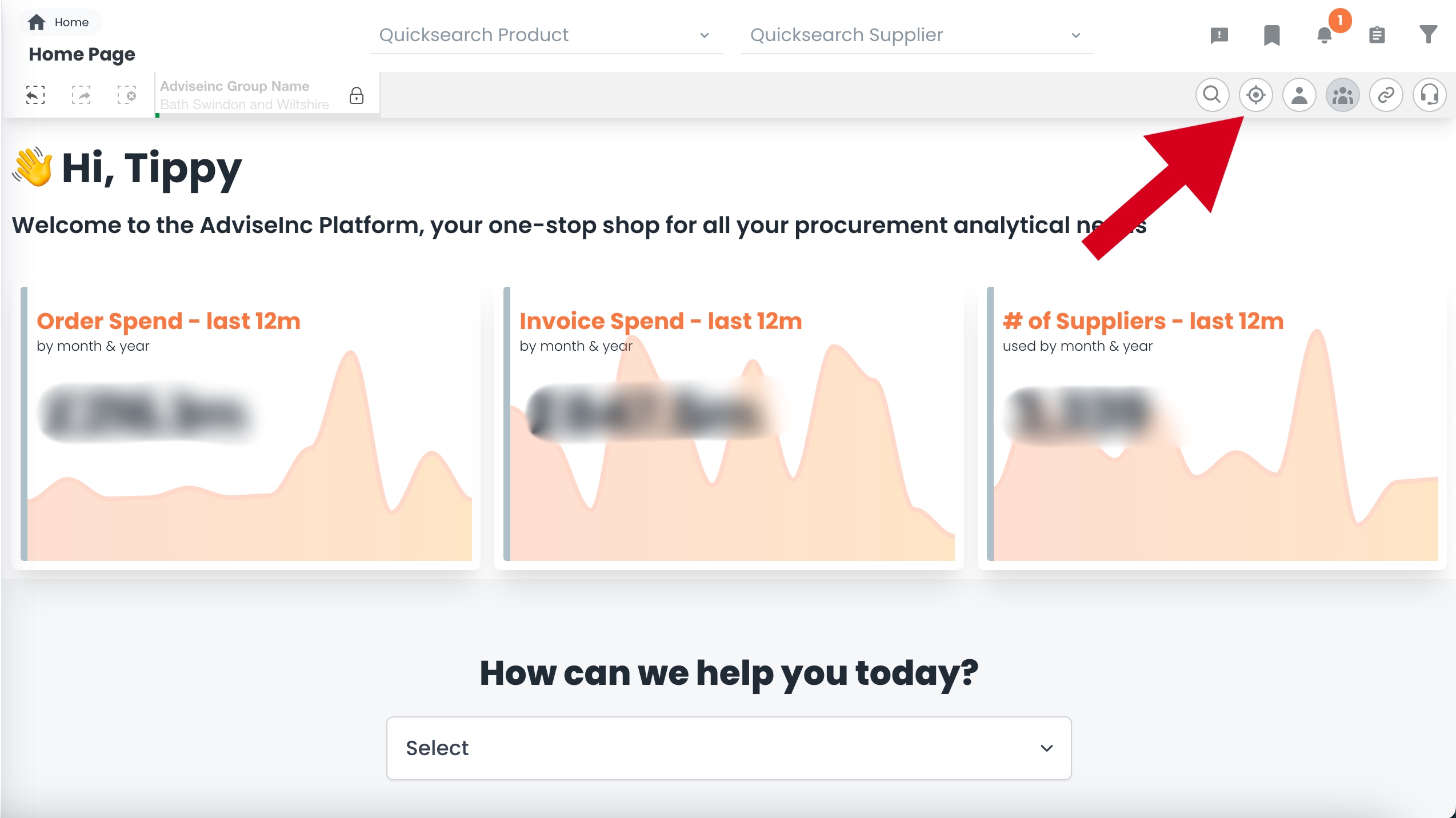
1. Select the quick filters button.
2. Select 'Yes' next to the 'Retro PO' option.
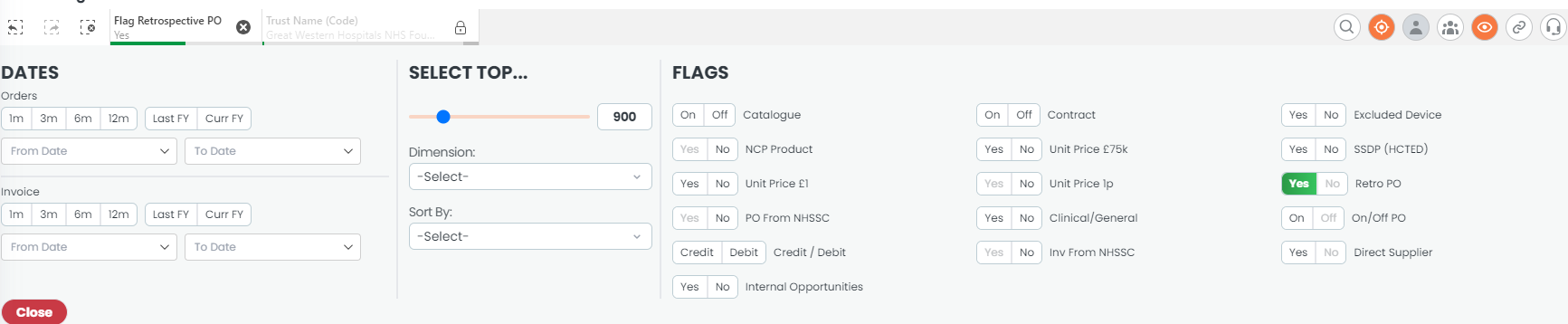
3. You can now navigate to the area(s) of the Platform you wish, which will now show spend for Retrospective POs only.
Notes And Tips
- Don't forget you can 'lock' any filters in place by selected the padlock under the 'current selections' bell.
If you have any questions, please don’t hesitate to get in touch at support@adviseinc.co.uk or phone us on 0207 112 9222.
Was this article helpful?
That’s Great!
Thank you for your feedback
Sorry! We couldn't be helpful
Thank you for your feedback
Feedback sent
We appreciate your effort and will try to fix the article