How to View Price Variances Between PO and Catalogue
Modified on Tue, 25 Apr, 2023 at 11:56 AM
TABLE OF CONTENTS
Introduction
This article will demonstrate how you can view price variances between PO and catalogue in the AdviseInc Platform. This is for products that sit on your catalogue but we can see has been purchased on PO at a different price.
Step-by-Step Guide
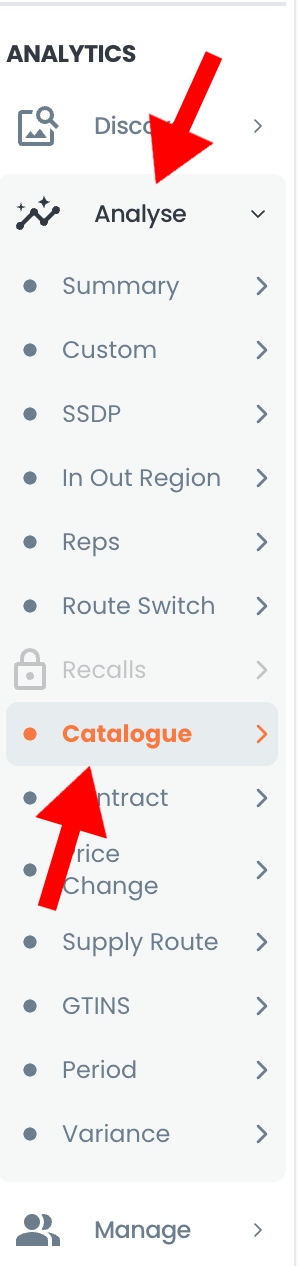
1. Navigate to the 'Analyse' section, and select the 'Catalogue' page.
2. Next, select the 'PO vs. Cat Variance' option from the page navigation buttons.

3. You'll then be able to view your PO vs. Cat Variance by either opportunity or cost pressure using the dropdown options.
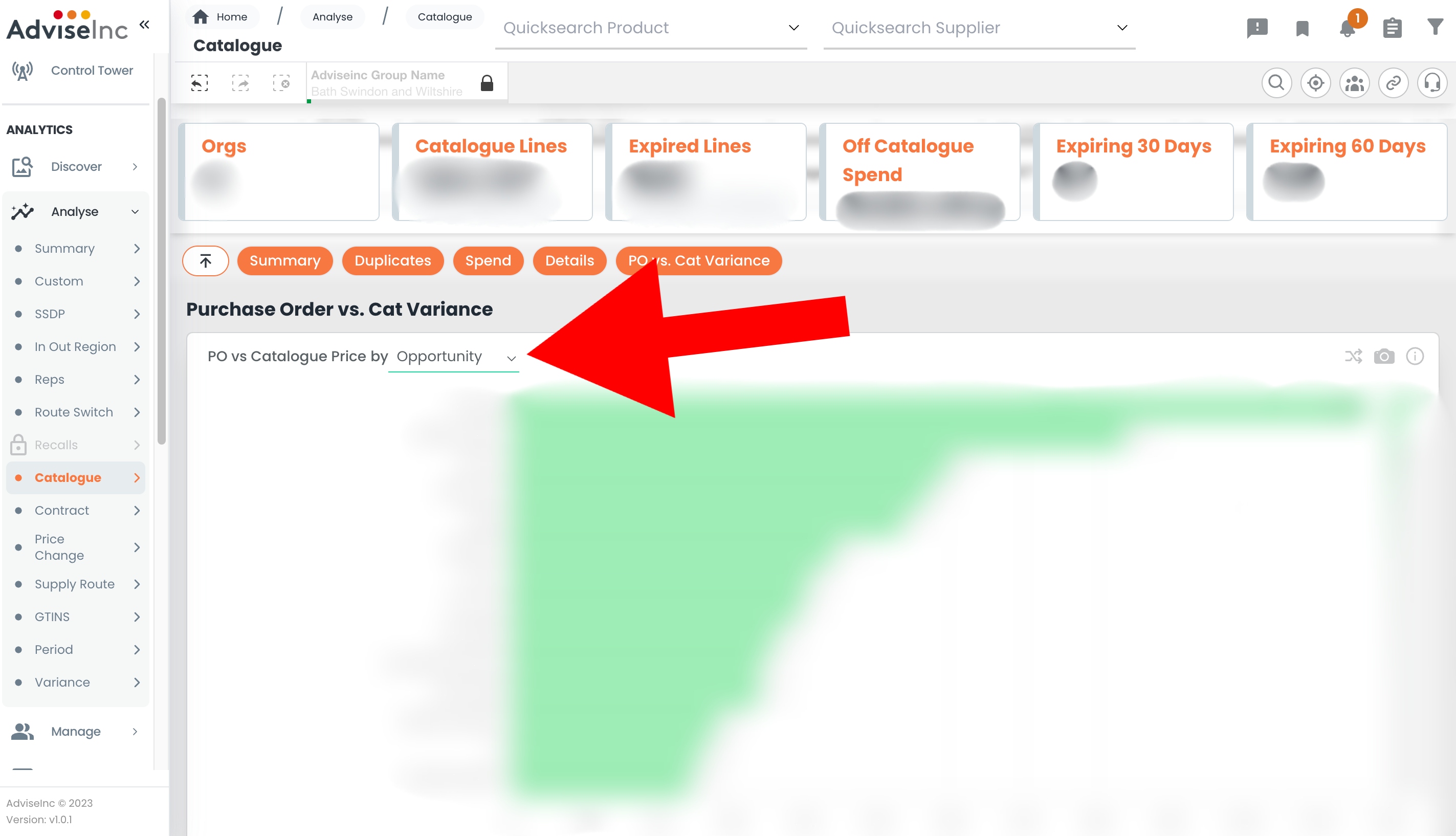
4. You can twist the chart to view the data behind by selecting the crossing arrows on the top right of the tile.

5. To download the information you can select the download to excel button to save the data or click the camera image to save the chart as an image.

If you have any questions, please don’t hesitate to get in touch at support@adviseinc.co.uk or phone us on 0207 112 9222.
Was this article helpful?
That’s Great!
Thank you for your feedback
Sorry! We couldn't be helpful
Thank you for your feedback
Feedback sent
We appreciate your effort and will try to fix the article