Reviewing Tail-end Spend
Modified on Wed, 14 Aug, 2024 at 2:57 PM
TABLE OF CONTENTS
Introduction
This article shows you how to view your tail-end spend within the Platform.
Step-by-Step Guide
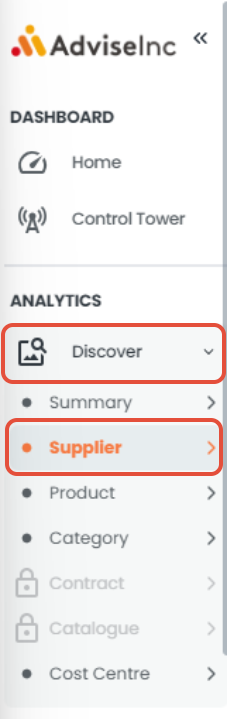
1. Head to the Discover section from the left-hand side menu bar and select 'Supplier'.
2. Navigate down the page to the 'Segment Analysis' area.

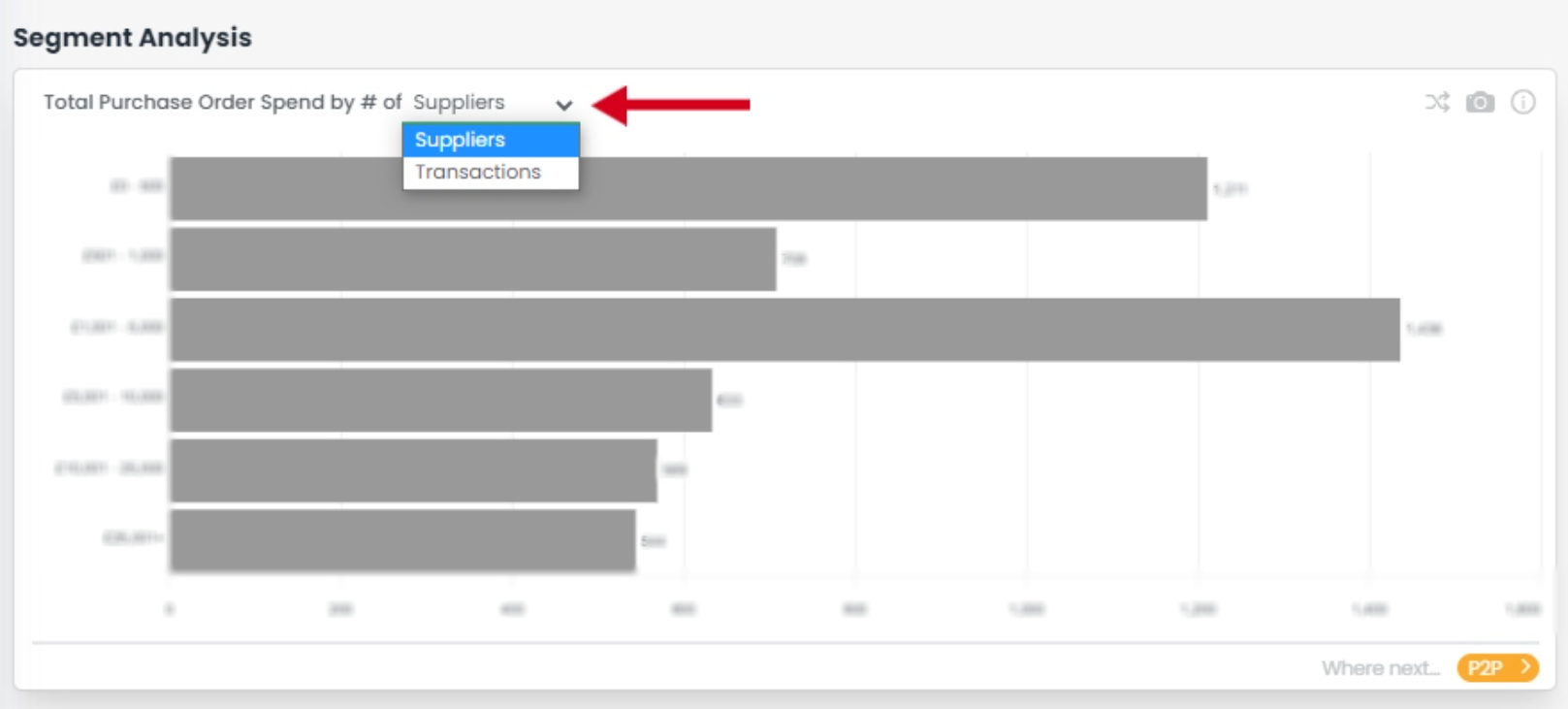
3. Here there are 2 charts, one looking at purchase order spend and the other focusing on invoice spend. You can choose whether to view these charts as the number of suppliers that fit within each bucket or the number of transactions by selecting the drop-downs in the titles.
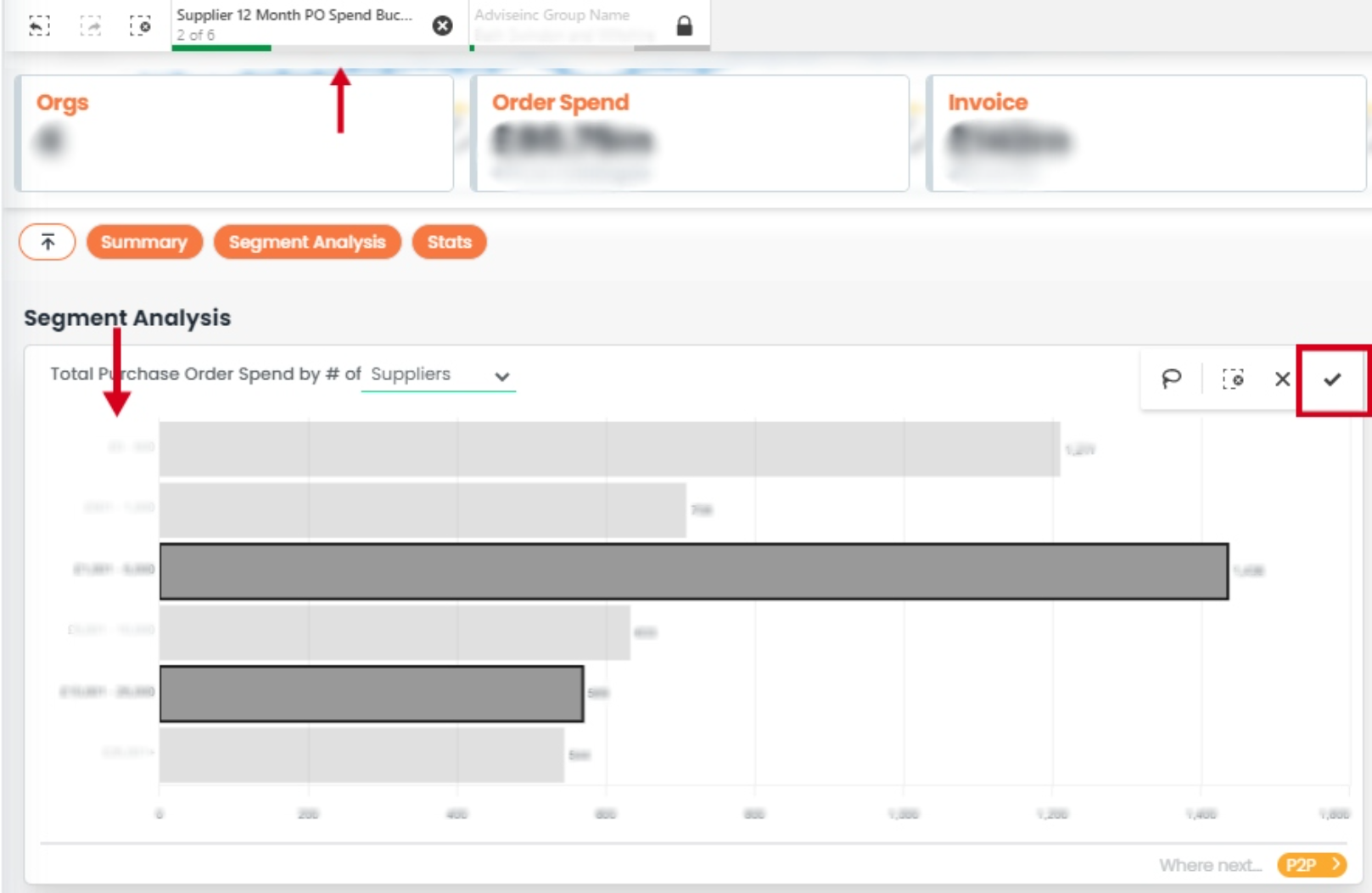
4. To focus on any of the buckets you can click on these from within the chart and these will be added as filters. These filters will be maintained even when you navigate off the page, allowing you to utilise other pages such as the custom page to analyse this further.
5. You can use the crossing arrows on the top right of the tile to view the chart as a table and even download the chart as an image by clicking the camera button.

If you have any questions, please don’t hesitate to get in touch at support@adviseinc.co.uk or phone us on 0207 112 9222.
Was this article helpful?
That’s Great!
Thank you for your feedback
Sorry! We couldn't be helpful
Thank you for your feedback
Feedback sent
We appreciate your effort and will try to fix the article