How to view my organisation's data quality
Modified on Mon, 13 Jan, 2025 at 2:19 PM
TABLE OF CONTENTS
Introduction
This article will explain how you can view how up-to-date your organisation's data is and which datasets are provided regularly by your team
Step-by-Step Guide
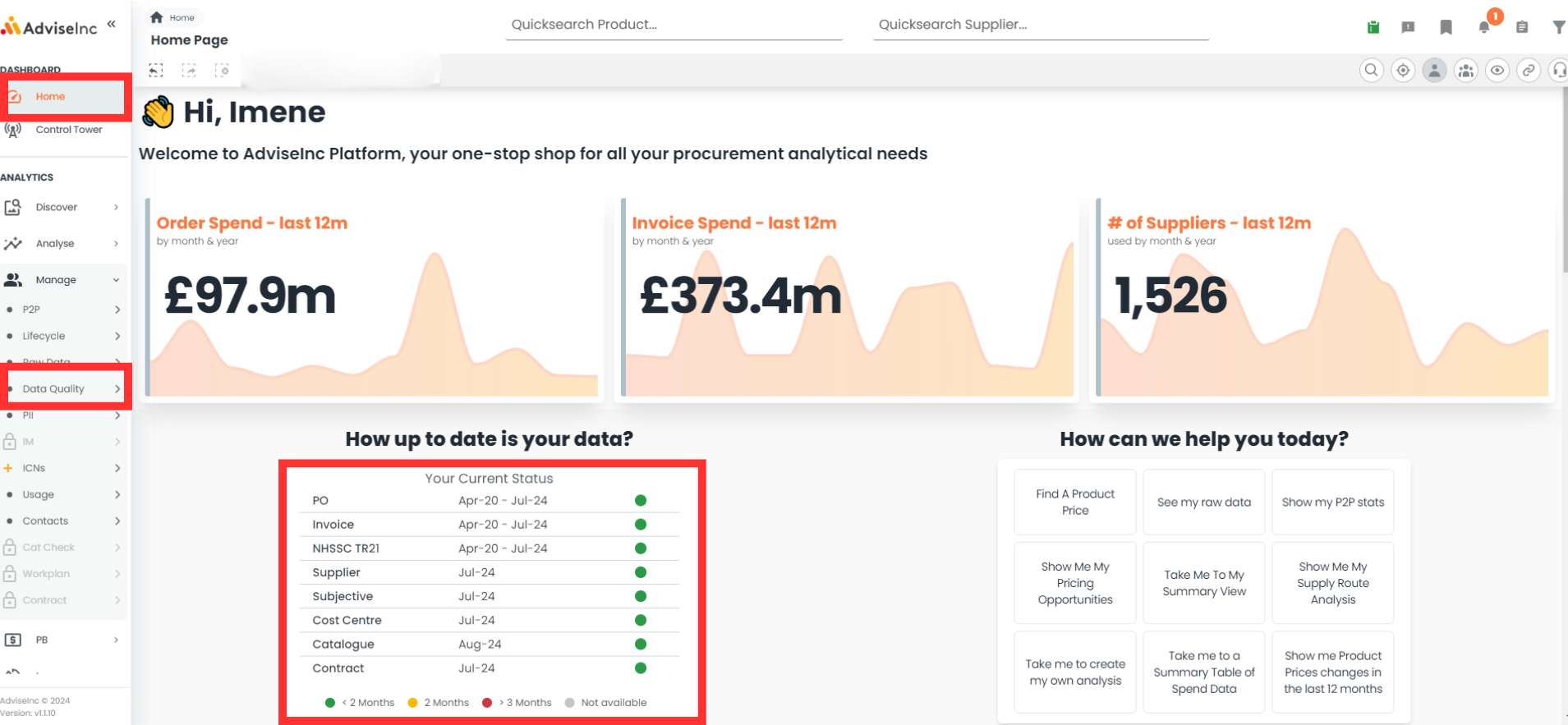
- With a single organisation selected, head to Home page and view the data stats table
- To view data status for more than one organisation head to Manage > Data Quality
Notes And Tips
- We receive data a month in arrears. Meaning at the start of August we are sent your organisation's July data in the example above.
If you have any questions, please don’t hesitate to get in touch at support@adviseinc.co.uk or phone us on 0207 112 9222.
Was this article helpful?
That’s Great!
Thank you for your feedback
Sorry! We couldn't be helpful
Thank you for your feedback
Feedback sent
We appreciate your effort and will try to fix the article