How to view Pareto % analysis
Modified on Wed, 14 Aug, 2024 at 3:25 PM
TABLE OF CONTENTS
Introduction
This article explains how to view your Pareto % analysis in Platform. Within Platform it is possible to see your Pareto analysis in terms of both spend and number of lines. To read more about the Pareto Principle please click here.
Step-by-Step Guide
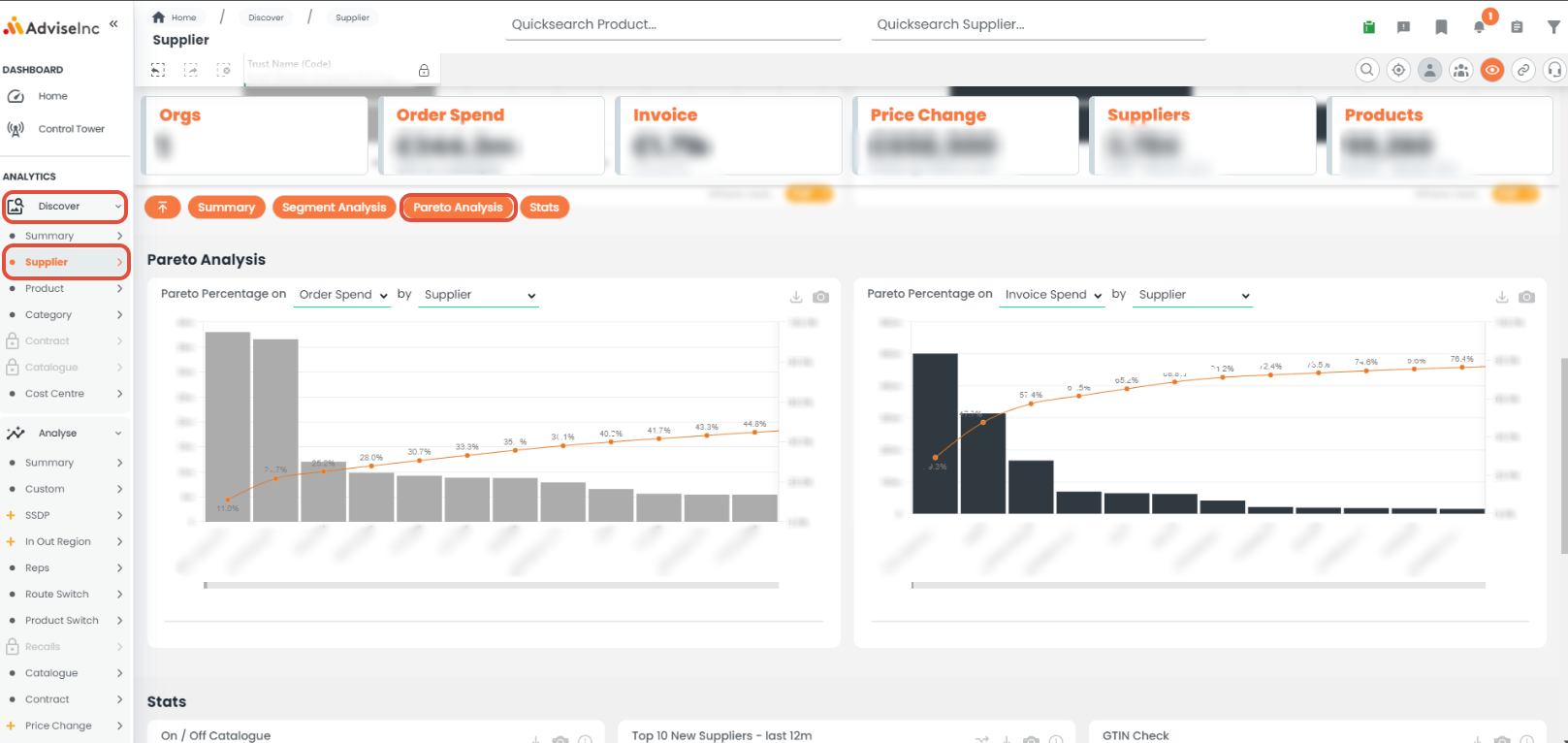
- On the left-hand menu pane select Discover > Supplier.
- Navigate down the page to the 'Pareto Analysis '.
- The chart on the left shows Pareto analysis based on your PO information, on the right is your Invoice information.
- From within the titles you can select to view this analysis based on spend or the number of lines
- Select the dimension in the title, eg 'Supplier' to twist charts to view this analysis by suppliers, cost centres, subjective codes and eClasses
Notes And Tips
- Export the backing data by clicking the download icon in the top right of the tile.
If you have any questions, please don’t hesitate to get in touch at support@adviseinc.co.uk or phone us on 0207 112 9222.
Was this article helpful?
That’s Great!
Thank you for your feedback
Sorry! We couldn't be helpful
Thank you for your feedback
Feedback sent
We appreciate your effort and will try to fix the article