How to request a summary report for my organisation
Modified on Tue, 21 Jan, 2025 at 4:30 PM
TABLE OF CONTENTS
Introduction
We produce a summary report for your trust/group which can be downloaded any time via Platform.
Step-by-Step Guide
You can easily request a summary report for your organisation using the Platform tool. Here’s how:
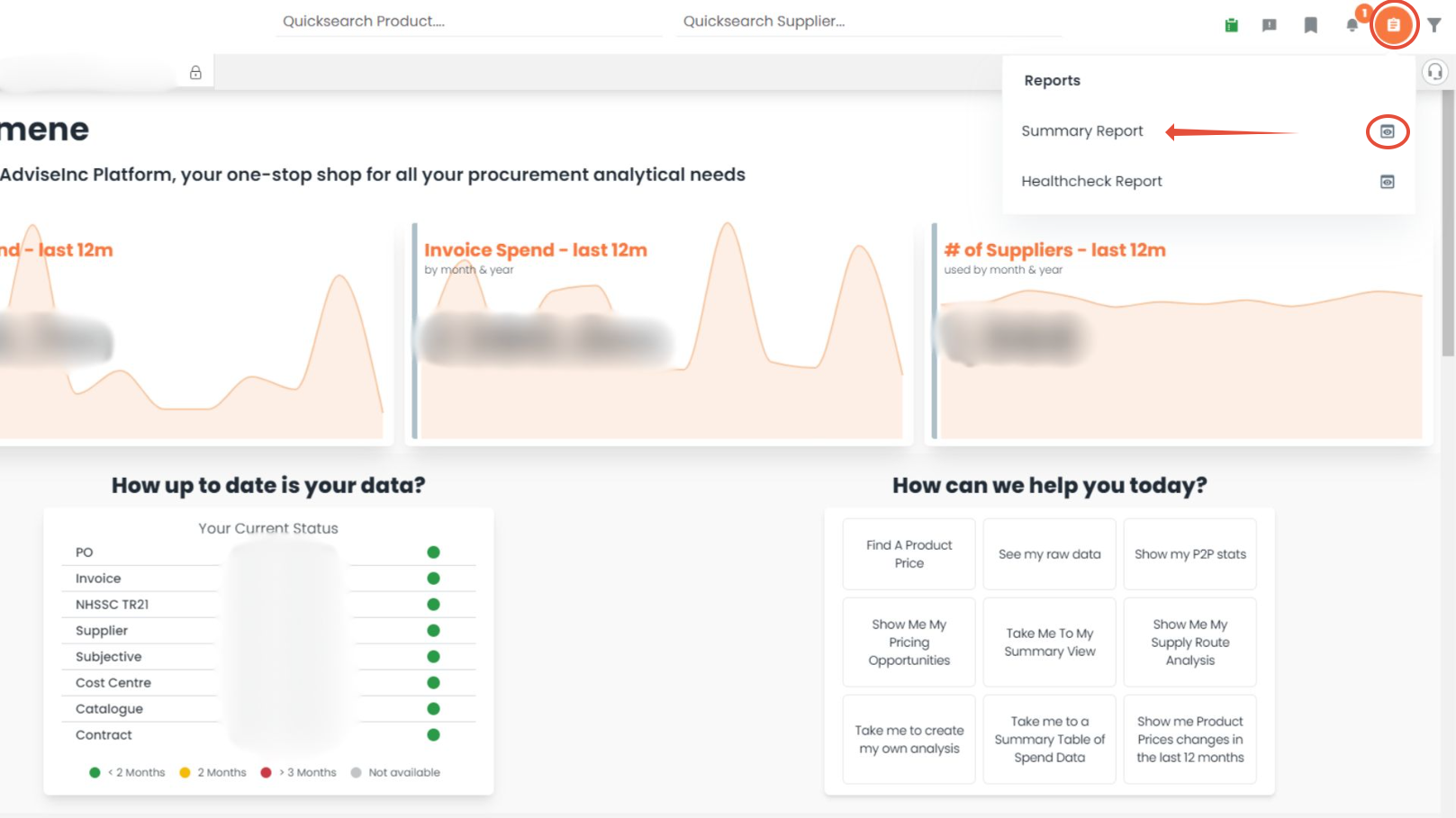
On the Platform page, click the Reports button located in the top right-hand corner of the page.
Once you click the Reports button, select Summary Report by clicking on the eye icon in the right hand side to view a full summary of your organisation's data.
Please note: The health check report will be generated based on any filters you've applied on the Platform.
If you have any questions, please don’t hesitate to get in touch at support@adviseinc.co.uk or phone us on 0207 112 9222.
Was this article helpful?
That’s Great!
Thank you for your feedback
Sorry! We couldn't be helpful
Thank you for your feedback
Feedback sent
We appreciate your effort and will try to fix the article