Saving your customer reports / tables
Modified on Wed, 14 Aug, 2024 at 2:41 PM
TABLE OF CONTENTS
Introduction
Please read how to create your custom table here. Once you have created your table it is possible to bookmark this layout so that you can use it again in the future.
Step-by-Step Guide
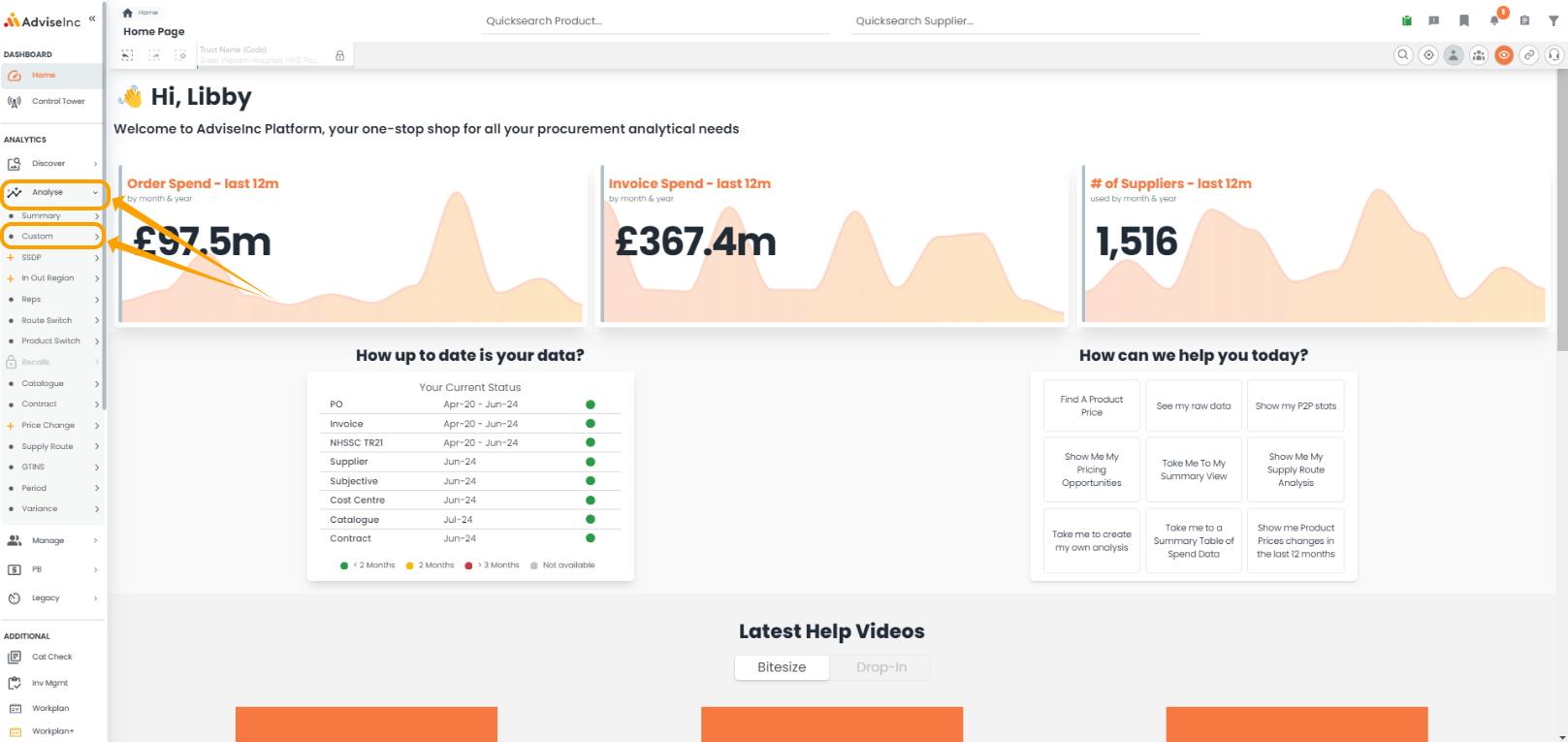
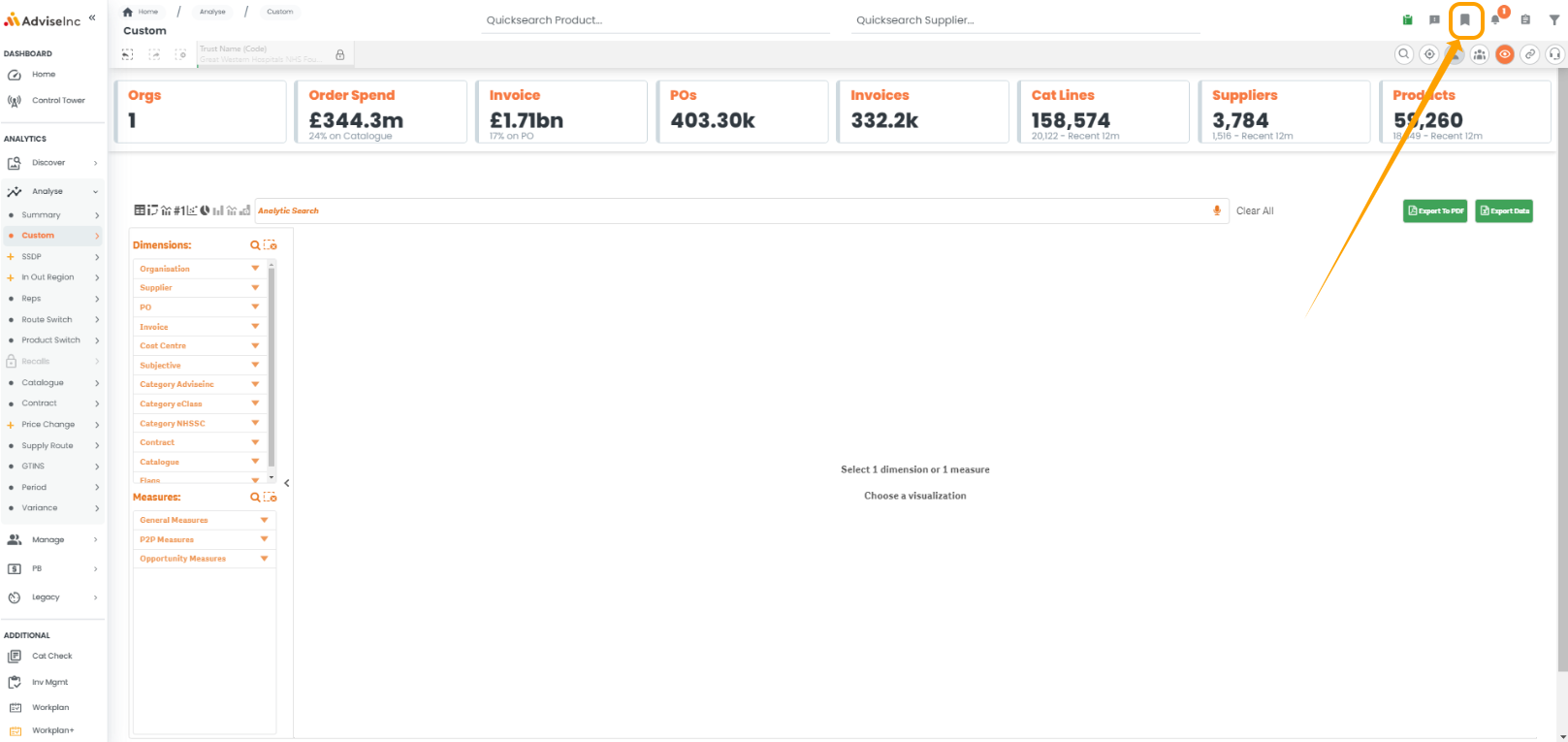
- Create your table on the Custom page under the Analyse section using your desired selections e.g. dimensions, measures and layout. We would advise not having filters on when you save the report.
- Click the bookmark icon on the top right and 'Create Bookmark'. Choose an appropriate name and description and save.
- When you enter the tool you can find the saved bookmark from your bookmark list, select it and it will replay the saved table/chat/report.
- Once you have selected the bookmark you can then add your required filters and selections and the custom page will update while maintaining your desired structure.
Notes And Tips
- Read more about custom tables here and custom pivot tables here
- Read more about saving bookmarks here
- Read more about adding filters and selections here
If you have any questions, please don’t hesitate to get in touch at support@adviseinc.co.uk or phone us on 0207 112 9222.
Was this article helpful?
That’s Great!
Thank you for your feedback
Sorry! We couldn't be helpful
Thank you for your feedback
Feedback sent
We appreciate your effort and will try to fix the article