AdviseInc Platform - v1.1.1
Modified on Thu, 13 Jul, 2023 at 5:16 PM
TABLE OF CONTENTS
Enhancements
We continually evolve Platform with a roadmap of development that we’ll release over the next 12 months. We’ve highlighted some of the new features in this latest release below for you.
#1 - ‘Org’ or ‘Group’ - now you choose
What is it?
You will now, by default, be signed in as your organisation instead of your Group, with some exceptions. You can change this and select if you want to see your own organisation or group on entry. And the best bit is, Platform will remember!
Why have we done this?
Because some of our customers sit in a trust and the default was group, meaning you had to click your org each time.
Where can I find this in Platform?
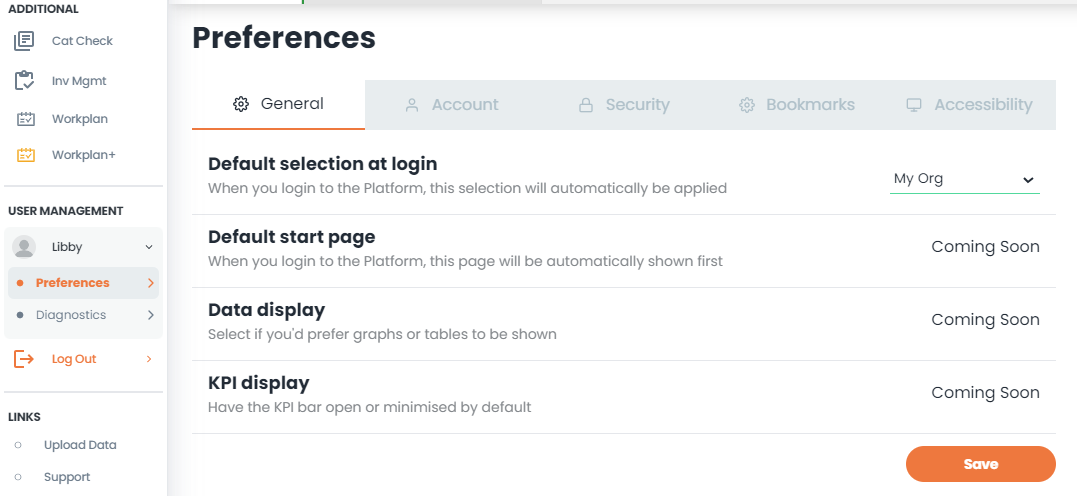
Left-hand navigation pain, head to the USER MANAGEMENT section
Click on your name (Libby in the example below) and go to Preferences.
Under General, you’ll see ‘Default selection at login’
On the drop-down, you can change between ‘My Org’ or ‘My Group’ as your default
Hit Save to store.
#2 - Select Top X products or suppliers
What is it?
Get your arms around your top opportunities and spend based on the ‘Top X’ products, benchmarked products or suppliers. You can choose the number you want to view, and you are in control of the measures and dimensions you wish to see.
Why have we done this?
At times you want to get rid of the noise around the edges and just focus on you top areas. This makes it even easier to view your data how you want.
Where can I find this in Platform?
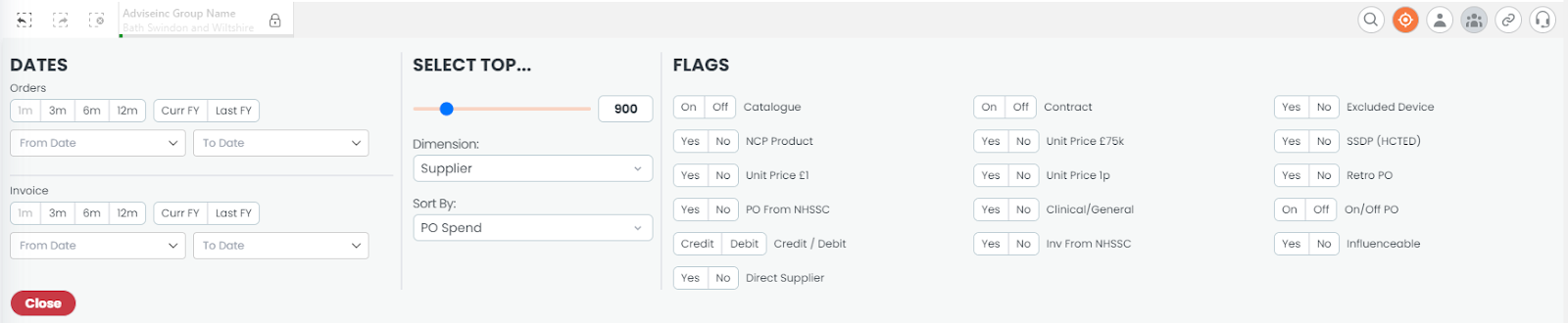
Click on the Quick Fliters icon
Under the SELECT TOP section
Slide the slider to the qty you want to see
Choose the desired dimension and sort options and click ‘Apply’.
#3 - Filters just became far easier to use
What is it?
You can now click and drag over multiple items in drop-down filters, plus it allows you to search for multiple items by simply ‘pasting’ in your list of items.
Why have we done this?
Because we want to make filtering and searching for multiple items as easy as possible for you
Where can I find this in Platform?
As an example (this applies to multiple filters now)
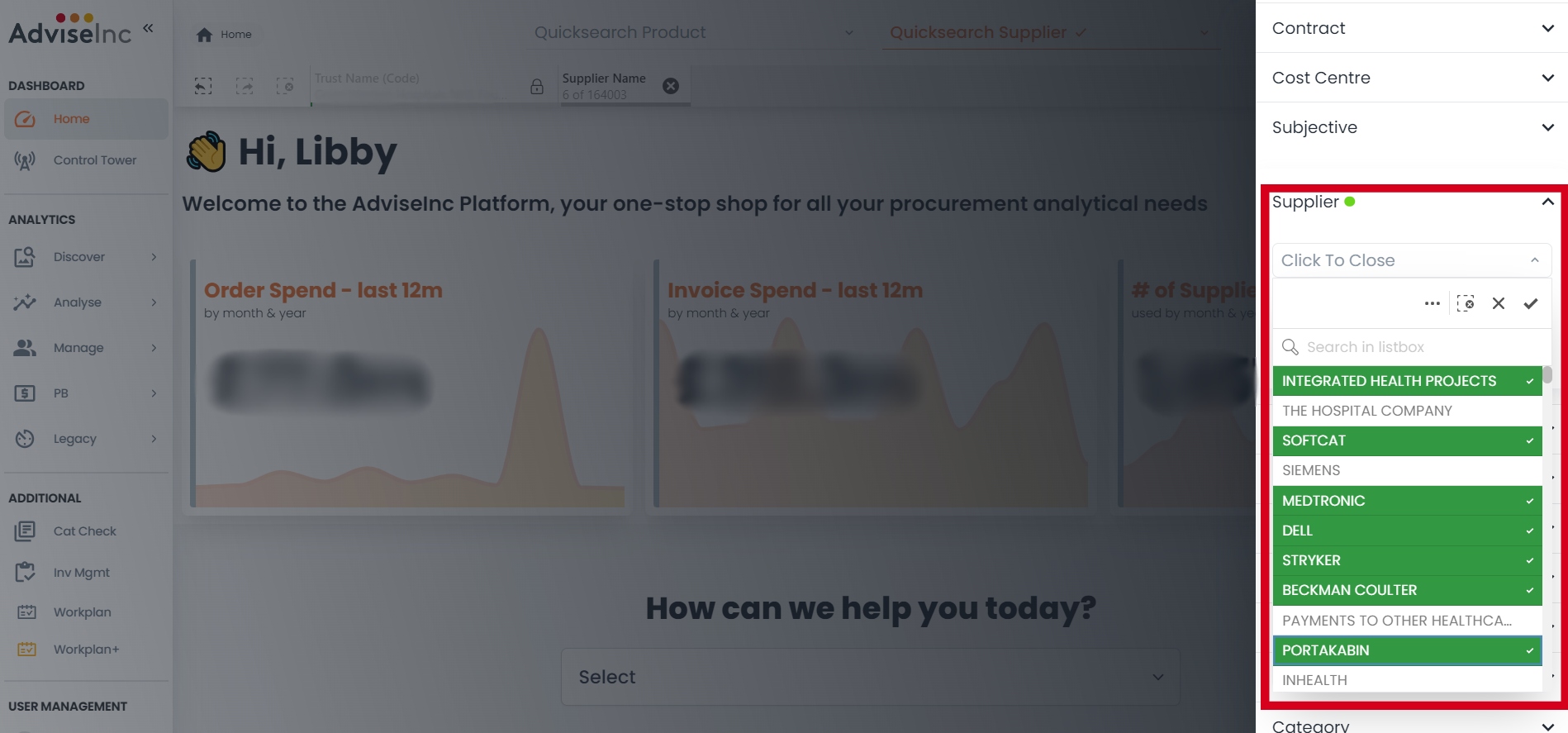
Click on the filter icon (top right) to make the filter panel appear on the right-hand side
Click on Supplier to expand
Click on Supplier - Mapped
Here you can click into search and enter a search string or simply drag your mouse over multiple entries, or click them individually before clicking the tick to select.
#4 - In-table filtering, just like in Excel!
What is it?
Like in Excel with filters, you can now filter within the table for many tables.
Why have we done this?
It helps speed up the time to filter, so you’re not having to use the filter pane.
Where can I find this in Platform?
The new feature is available in a number of tables. As an example:
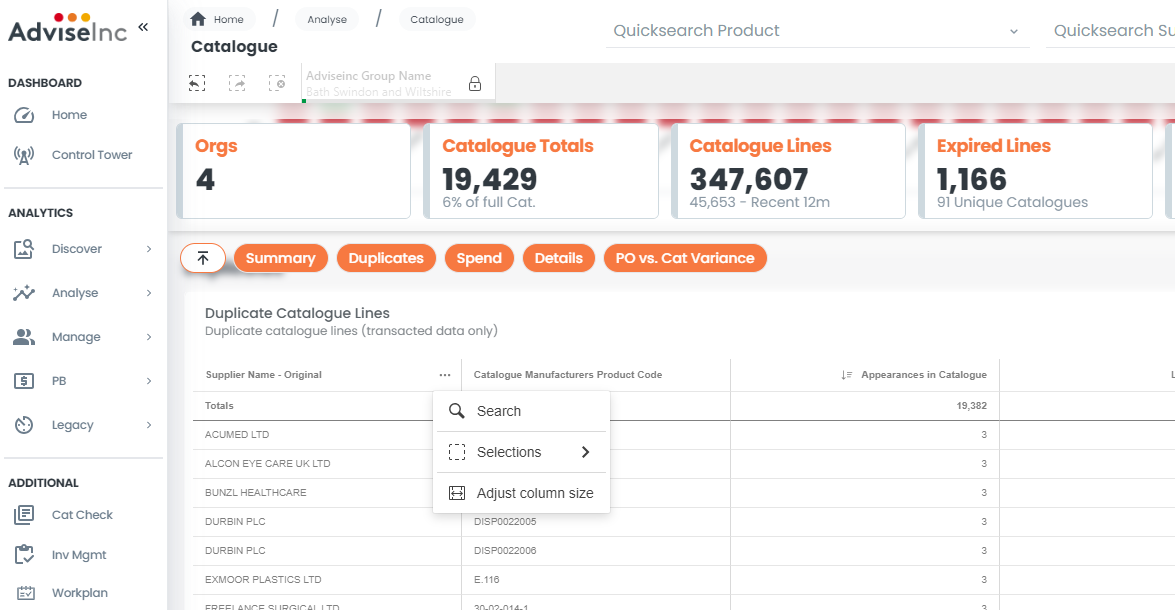
Go to Analyse > Catalogue
Click on the three dots ‘…’ next to ‘Supplier Name Original’
Type in your search term, as you would in any filter in Platform, and hit Enter.
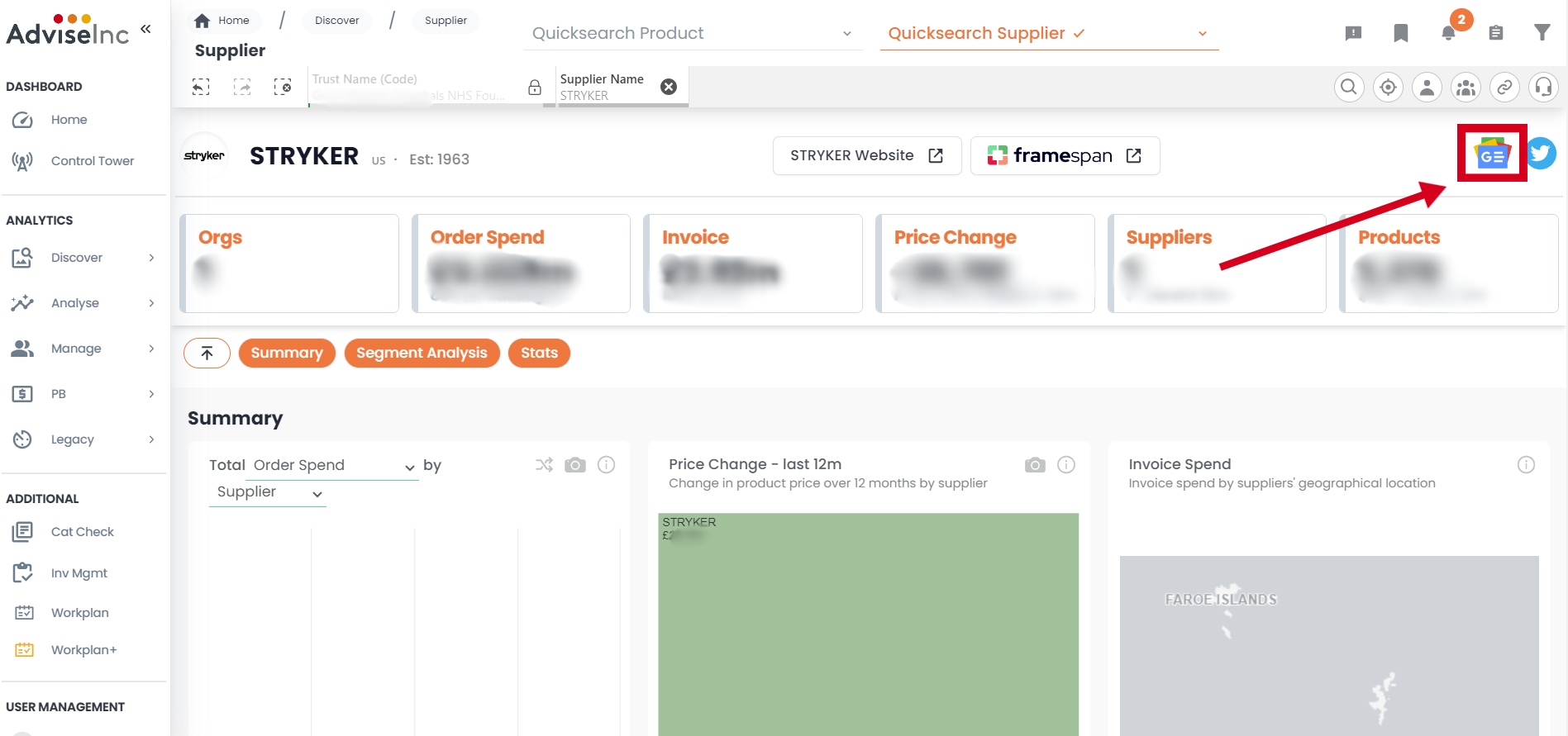
#5 - Google NEWS for Suppliers
What is it?
You can now see all the latest Google news about a Supplier with a simple click of an icon from Platform.
Why have we done this?
Because our users asked for it! You liked the Twitter feed and the link to Framespan. What you asked for next was the latest news relating to a Supplier.
Where can I find this in Platform?
It only works with a single Supplier selected. Head to the Discover > Supplier page and click on the NEW Google News icon. Remember to select a single supplier for the button to appear. The new button is located next to the Twitter icon in the top right corner.
#6 - Multiple Speed Improvements
We’re always looking for ways to make your experience on Platform as fast and as smooth as possible. To be honest, some bits are out of our hands - like slow connections that we know some trusts suffer with. But what we can do is continue to hone the code behind the scenes to speed up the site as best we can. This release contains a number of performance enhancements that should make for a quicker experience.
Bug Fixes
A full list of enhancements and bug fixes is available in Platform under the ‘CHANGELOG’ section, accessed from the left-hand navigation bar.
Future releases
We’re always working on new features. Here’s a sneak peek of some of the ones we’re working on for a future release.
Improvements in how you search for multiple products and suppliers
More personalisation
Further development to our new Product switch page
More speed improvements
You can see a more detailed list of v1.1.1 releases within Platform, under the Changelog page.
Was this article helpful?
That’s Great!
Thank you for your feedback
Sorry! We couldn't be helpful
Thank you for your feedback
Feedback sent
We appreciate your effort and will try to fix the article