AdviseInc Platform - v1.1.4 (20/10/23)
Modified on Fri, 20 Oct, 2023 at 7:46 AM
TABLE OF CONTENTS
Enhancements and New features
We continually evolve Platform with a roadmap of development that we’ll release over the next 12 months. We’ve highlighted some of the new features in this latest release below for you.
#1 - How do ICNs impact your Org*
What is it?
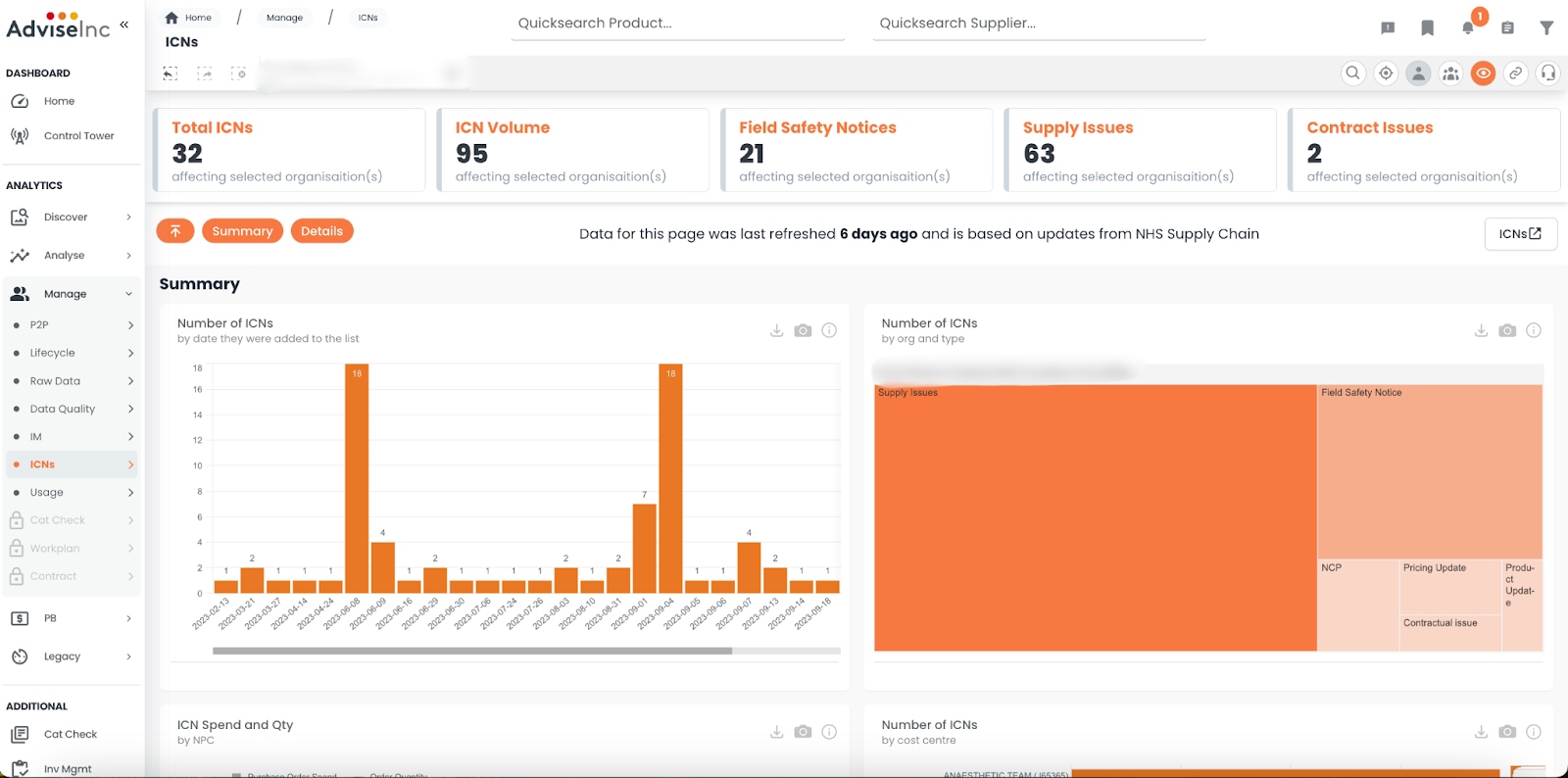
We have created a page for you to view the latest Important Customer Notices (ICNs) and how these impact your organisation, by connecting NHSSC ICNs with your spend data.
*Available to Platform Plus users only.
Why have we done this?
A number of users wanted to see how the latest ICNs impacted their organisations. We have your spend data, NHSSC has the ICNs so we decided to bring these together in one place to make it as easy as possible for you.
Where can I find this in Platform?
Left-hand Navigation Panel- Head to Manage > ICNs.
View high-level Summary at the top.
View Details by clicking on the orange navigation buttons, or scrolling down.
Click the ICNs link out button in the top-right corner to view NHSSC website.
#2 - Platform Usage Stats
What is it?
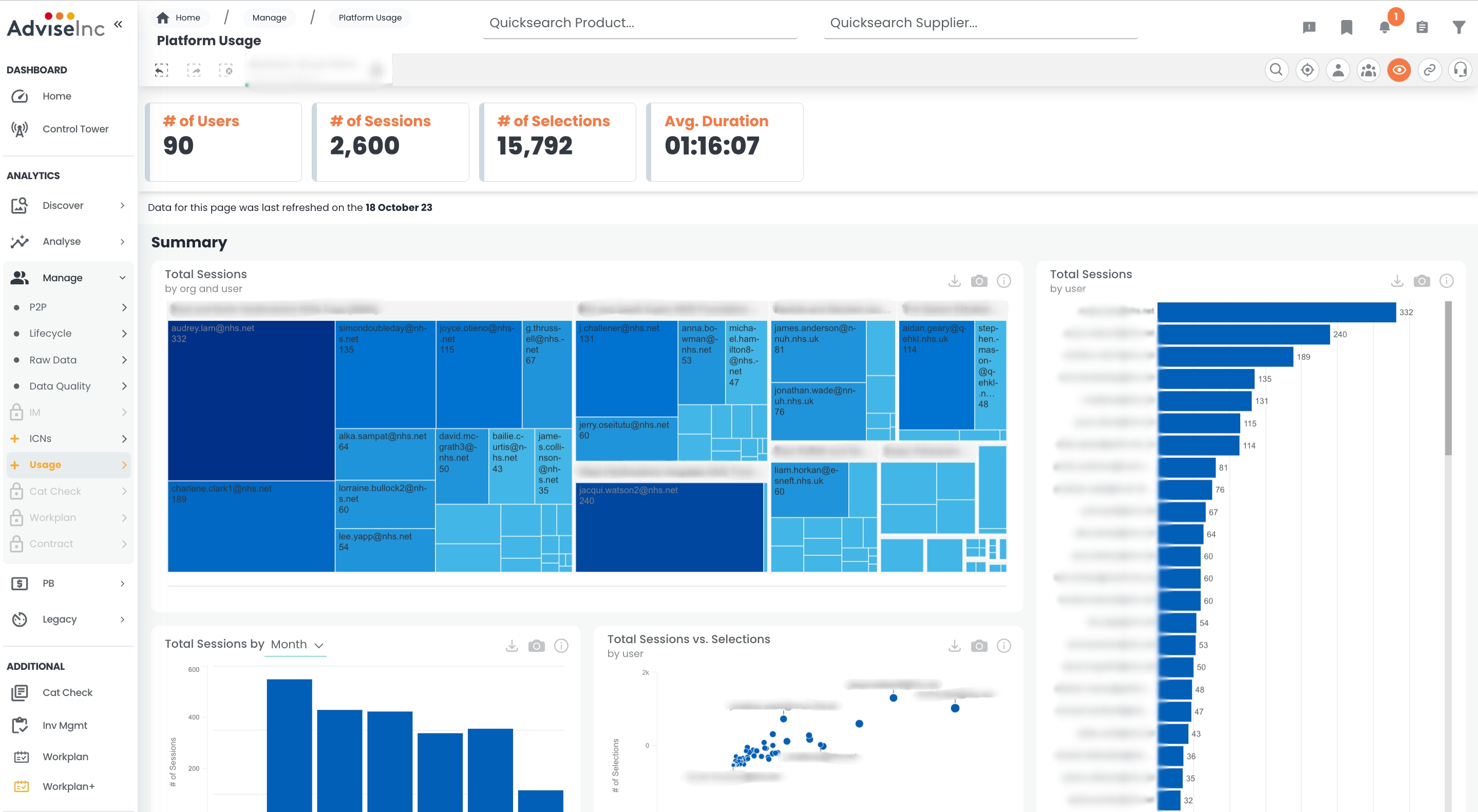
You now see who is spending time in Platform from your organisation or group.
Why have we done this?
Teams often ask us for a usage report. We wanted to give you faster access by moving it into Platform.
Where can I find this in Platform?
Left-hand Navigation Panel- Manage > Usage
View total sessions and selections across a few tables.
Make selections within tables to view specific date ranges or users.
#3 - Filter by Stock and eDirect in Route Switch
What is it?
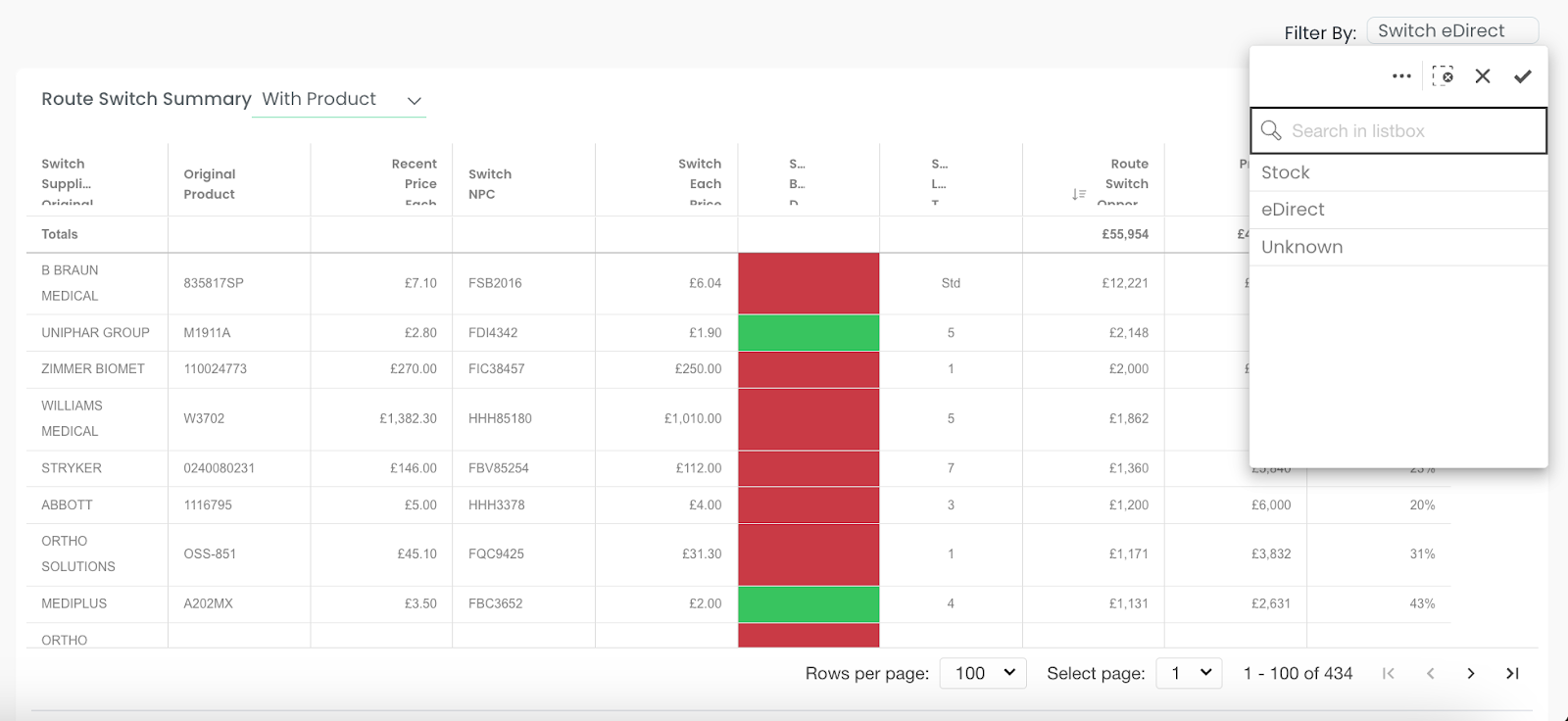
You can now filter your Route Switch opportunities more easily with Stock and eDirect filters.
Why have we done this?
A number of users said they needed to do this analysis so were taking the data out of Platform and into Excel. It was easier for us to give it you in Platform - hence no Excel.
Where can I find this in Platform?
Left-hand Navigation Panel- Analyse > Supply Route
View the new “Filter By” drop-down menu in the top-right-hand corner.
Simply click on your desired filter, and hit the tick to apply.
#4 - Expired Contracts
What is it?
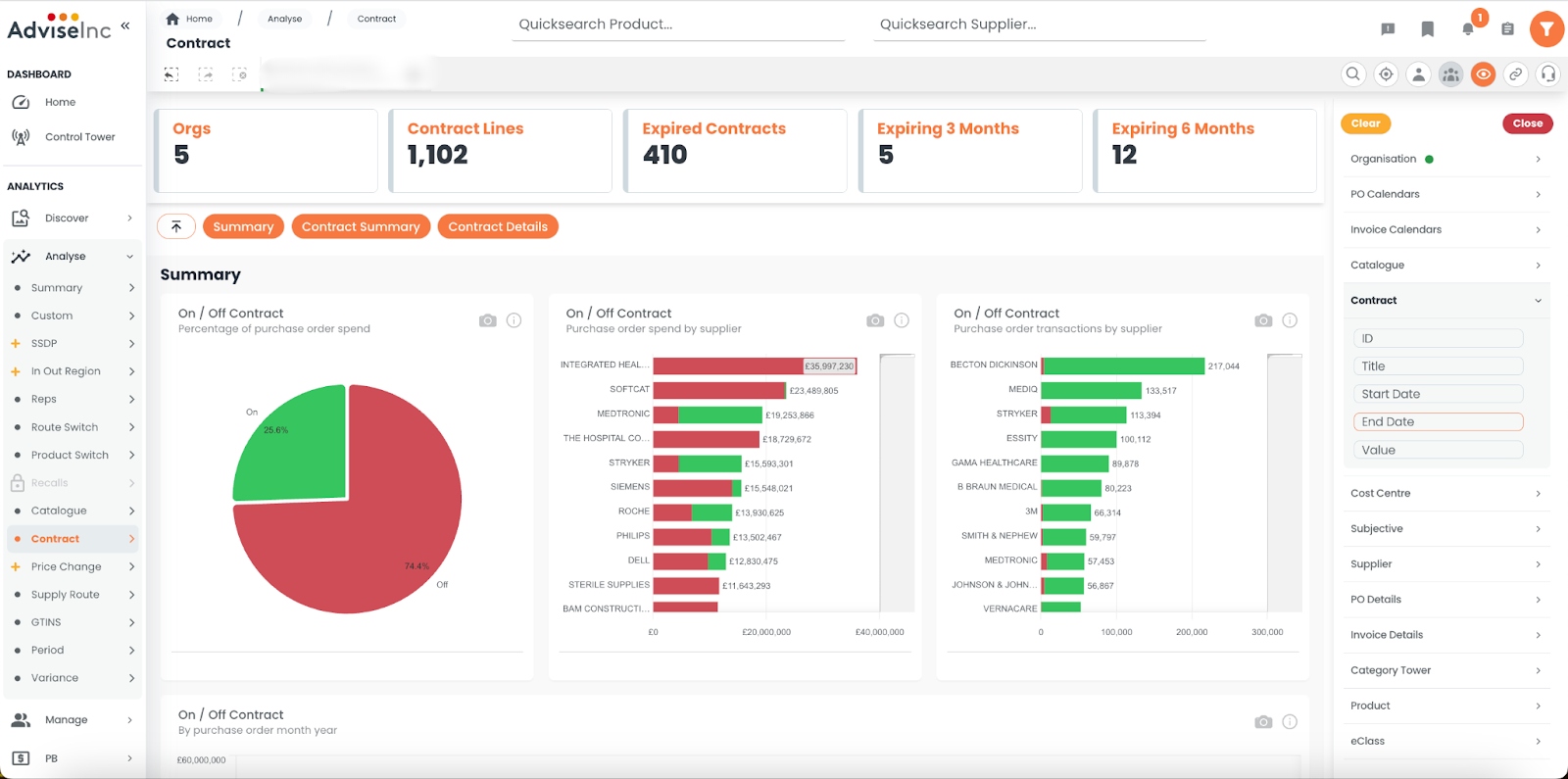
Quickly see how many contracts* you have that are expiring or expired, based on your provided end dates.
Why have we done this?
We’ve added end dates to provide greater visibility of when your contracts are due to end. Simple as that, and a question we’re asked often.
Where can I find this in Platform?
Left-hand Navigation Panel- Analyse > Contract - KPIs
You can view how many expired/expiring lines are within your contract file
Main Filters (funnel, top right)- Under Contract, you can filter by End Date.
* This is reliant on your team providing contract files with a correct end-date.
#5 - Multiple Speed Improvements
We’re always looking for ways to make your experience on Platform as fast and as smooth as possible. To be honest, some bits are out of our hands - like slow connections that we know some trusts suffer with. But what we can do is continue to hone the code behind the scenes to speed up the site as best we can. This release contains a number of performance enhancements that should make for a quicker experience.
Don’t forget you can choose to switch off your KPIs by default. The KPIs do a lot of the heavy lifting with calculations in Platform, so hiding them leaves room for the main objects to load faster. You can read about how to do this in our FAQ article here.
Bug Fixes
A full list of enhancements and bug fixes is available in Platform under the ‘CHANGELOG’ section, accessed from the left-hand navigation bar.
Future releases
We’re always working on new features. Here’s a sneak peek of some of the ones we’re working on for a future release.
Improvements to our Price Benchmarking section - If you want to be involved in this development, please reach out to the team at support@adviseinc.co.uk.
More Reports - We are looking to bring more reports into Platform.
Was this article helpful?
That’s Great!
Thank you for your feedback
Sorry! We couldn't be helpful
Thank you for your feedback
Feedback sent
We appreciate your effort and will try to fix the article