AdviseInc Platform - v1.1.7 Release Notes (18/04/2024)
Modified on Wed, 2 Jul, 2025 at 9:22 AM
TABLE OF CONTENTS
New Features and Enhancements
We continually evolve Platform with a roadmap of development that we’ll release over the next 12 months. We’ve highlighted some of the new features in this latest release below for you.
#1 - Learn more about our delivery partners
What is it?
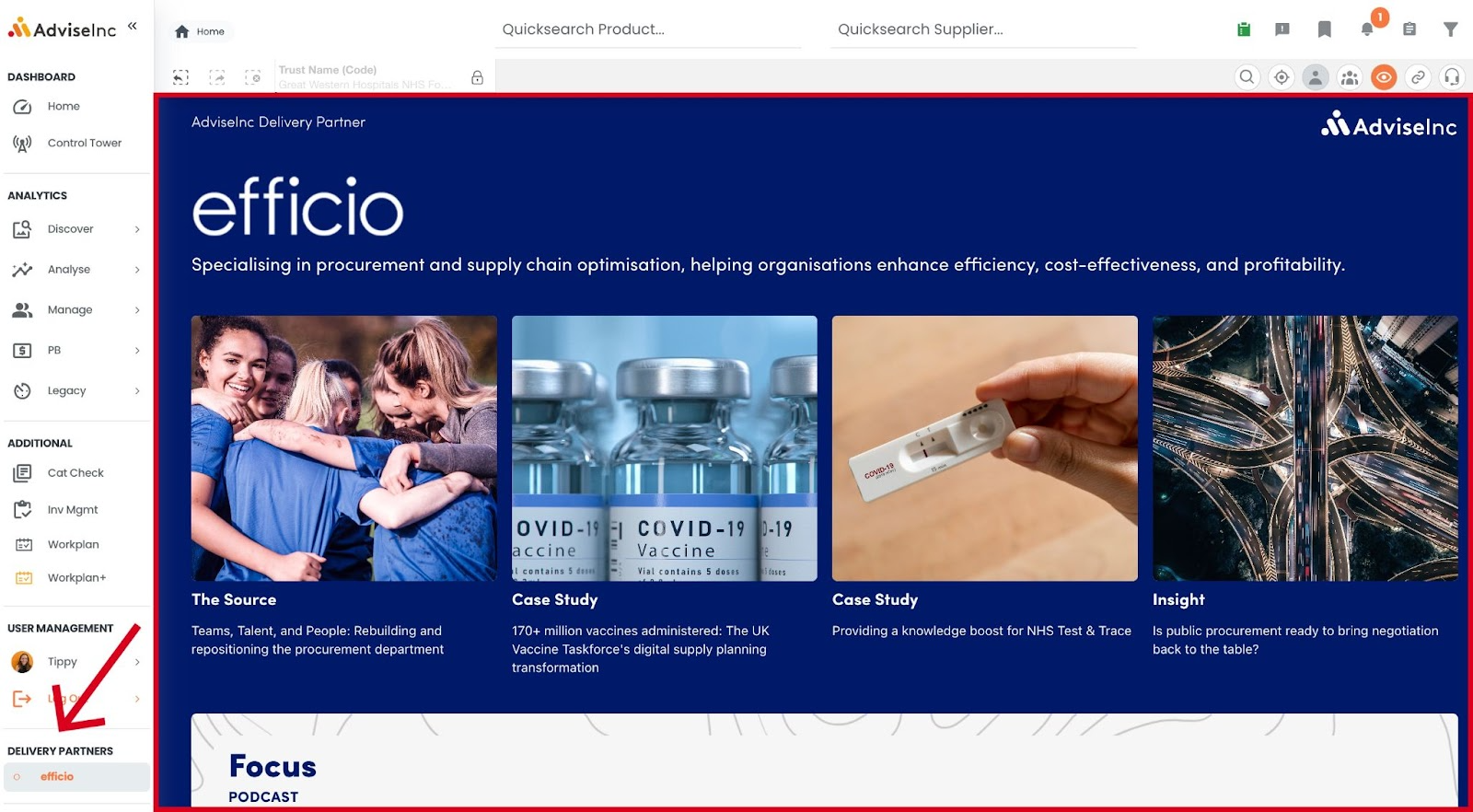
An area in Platform intended to help you find out more about Efficio and our other Delivery Partners
Why have we done this?
Over the last 10 years, we’ve been helping you identify opportunities to save money and drive value. However, with capacity constrained in local and regional teams, these opportunities are not always able to be delivered. That’s where our Delivery partners come in. Our delivery partners are equipped to help you implement these opportunities effectively, with full access to our platform and analytics. Together, we create strong, productive partnerships.
Where can I find this in Platform?
Scroll to the bottom of the Left hand Navigation Panel, to "Delivery Partners”
Click the name (e.g. Efficio) to view the page
#2 - Twist and filter on delivery points and requisition points
What is it?
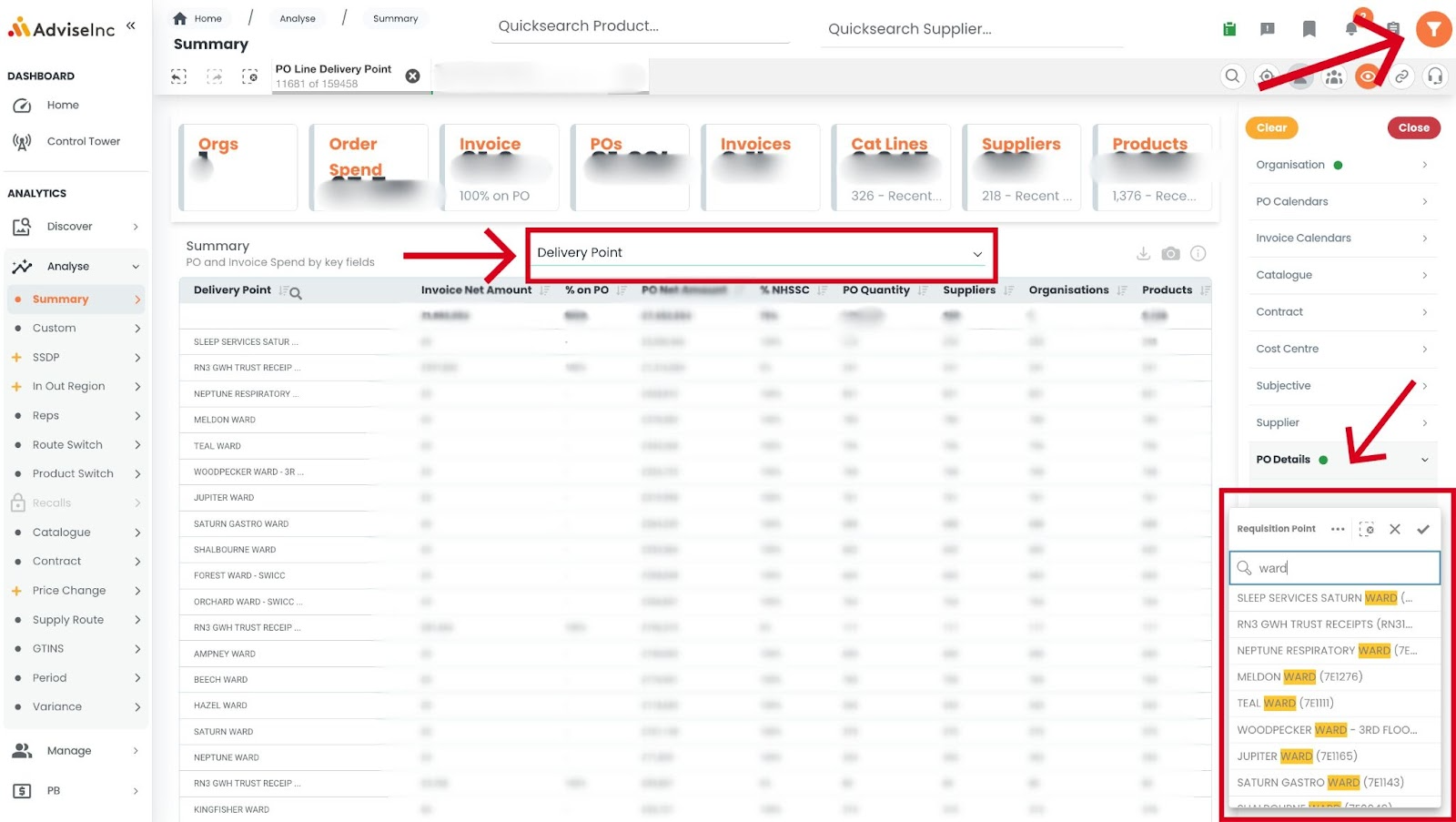
You can now filter on, and twist your data by, Requisition (ReQ) Point and Delivery Point.
Why have we done this?
You asked if we could add it to allow you to see even more from your data. We are always open to hearing your ideas and improving your experience.
Where can I find this in Platform?
- From the Navigation Panel on the left, click “Analyse”
- Just below, click “Summary”
- Open the drop down-menu in the middle (underlined in green)
- Choose “Requisition Point” or “Delivery Point” from the list
OR - Click Filters (funnel icon in the top-right corner)
- Open “PO Details” half-way down
- Choose “Requisition Point” or “Delivery Point”
- Type in the search box
- Remember to hit the ✔ to apply your selection(s)
#3 - Search more of your data for key terms
What is it?
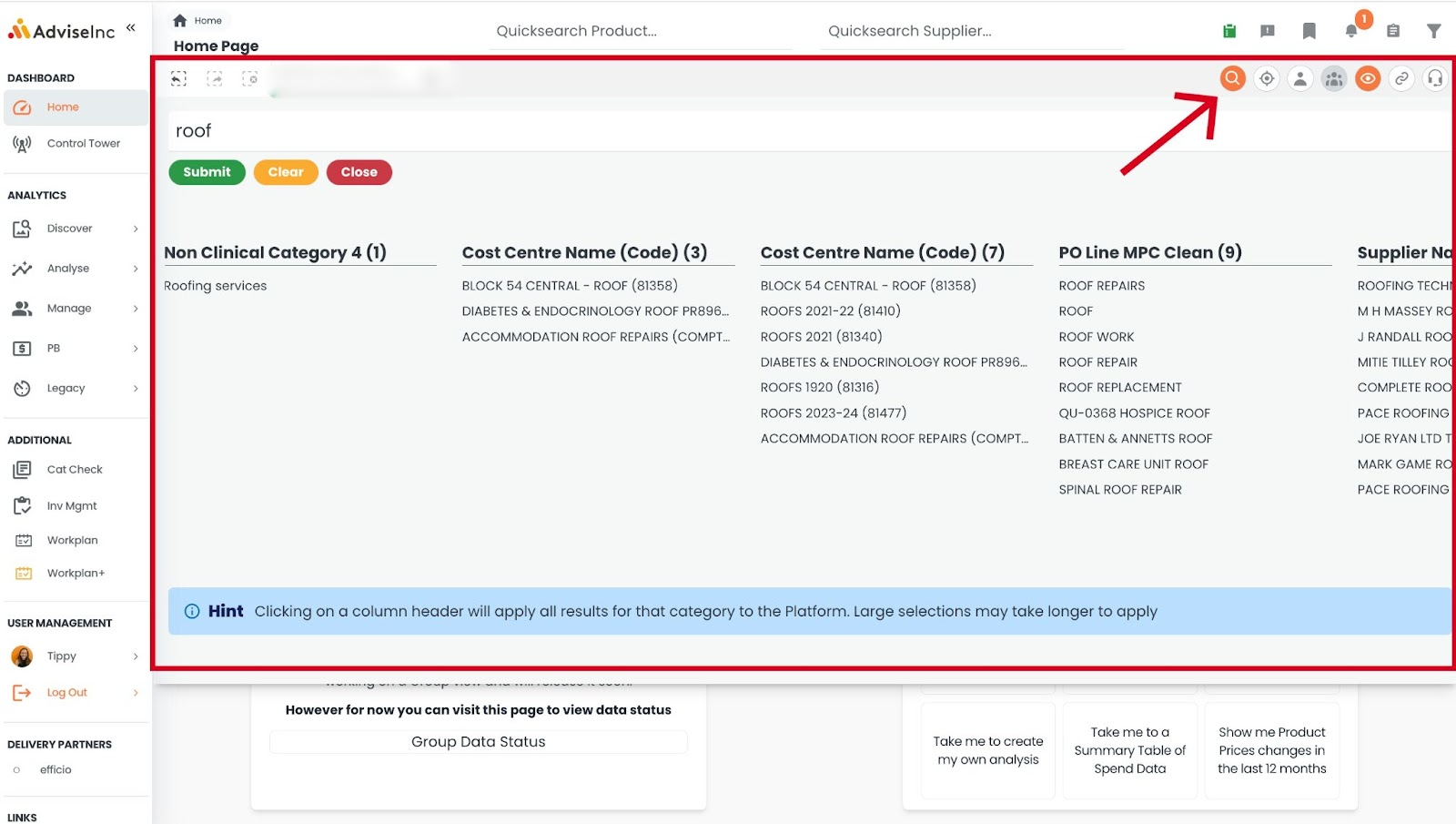
We have extended the data sets that our "Open search" searches across to now include your free-text fields, making even more lines accessible to you.
Why have we done this?
We want to make more data available to you in Platform.
Where can I find this in Platform?
- Head to the Action Icons in the top-right corner
- Click “Open Search” (the magnifying glass)
- Type the keyword into the search bar
- Hit “Submit”
- Click the headings in bold to apply the results below as a filter
#5 - Other enhancements
We have added a few more enhancements to make Platform better for you.
Speed improvements across Platform
PB > Price Check - Added a legend to clarify supply route colour-coding
Help Videos - More drop-in session recordings available on the Home page
Tile Info - More information text boxes updated across Platform
Bug Fixes
A full list of enhancements and bug fixes is available in Platform under the ‘CHANGELOG’ section, accessed from the left-hand navigation bar.
Future releases
We’re always working on new features. Here’s a sneak peek of some of the ones we’re working on for a future release.
“Write back” - A way for you to let us know what opportunities you’ve achieved
Redesign of the Benchmarking area in Platform
Was this article helpful?
That’s Great!
Thank you for your feedback
Sorry! We couldn't be helpful
Thank you for your feedback
Feedback sent
We appreciate your effort and will try to fix the article