AdviseInc Platform - v1.1.5 (16/11/23)
Modified on Wed, 15 Nov, 2023 at 6:16 PM
TABLE OF CONTENTS
Enhancements
We continually evolve Platform with a roadmap of development that we’ll release over the next 12 months. We’ve highlighted some of the new features in this latest release below for you.
#1 - NEW dimensions and measures in Custom reports
What is it?
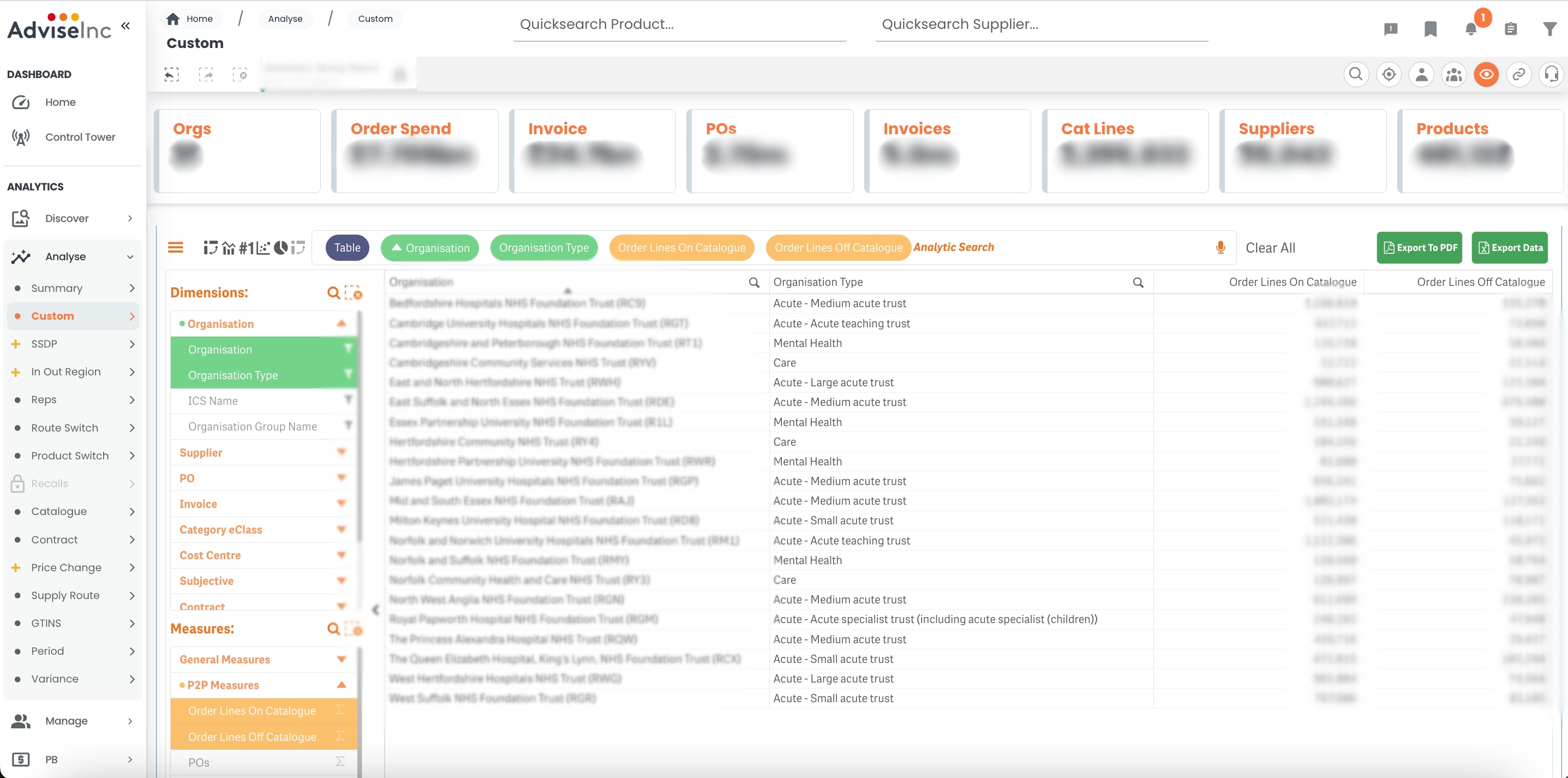
We have added new dimensions and new measures to Analyse > Custom
- Organisation type - see where your spend sits across acutes, mental health and care
- Order lines on/off catalogue - see how many PO lines are on or off of your catalogue
- Invoice Number - see the invoice no. from supplier, as well as the invoice ID
Why have we done this?
We know that our Custom page is one of Platform’s most popular pages, so we wanted to give teams the opportunity to gain more insight into their spend through custom reporting.
Where can I find this in Platform?
To view Organisation Type:
Left-hand Navigation Panel- Analyse > Custom
Under Dimensions, select “Organisation”
From the menu below, select “Organisation Type”
Choose your visualisation by clicking an icon in the top-left corner
Click “Update Layout”
To view PO lines On and Off Catalogue:
Left-hand Navigation Panel- Analyse > Custom
Under Measures, select “P2P Measures”
From the menu below, select “Order Lines On Catalogue” and/or “Order Lines Off Catalogue”
Choose your visualisation by clicking an icon in the top-left corner
Click “Update Layout”
#2 - NEW National Joint Registry categories in Filters
What is it?
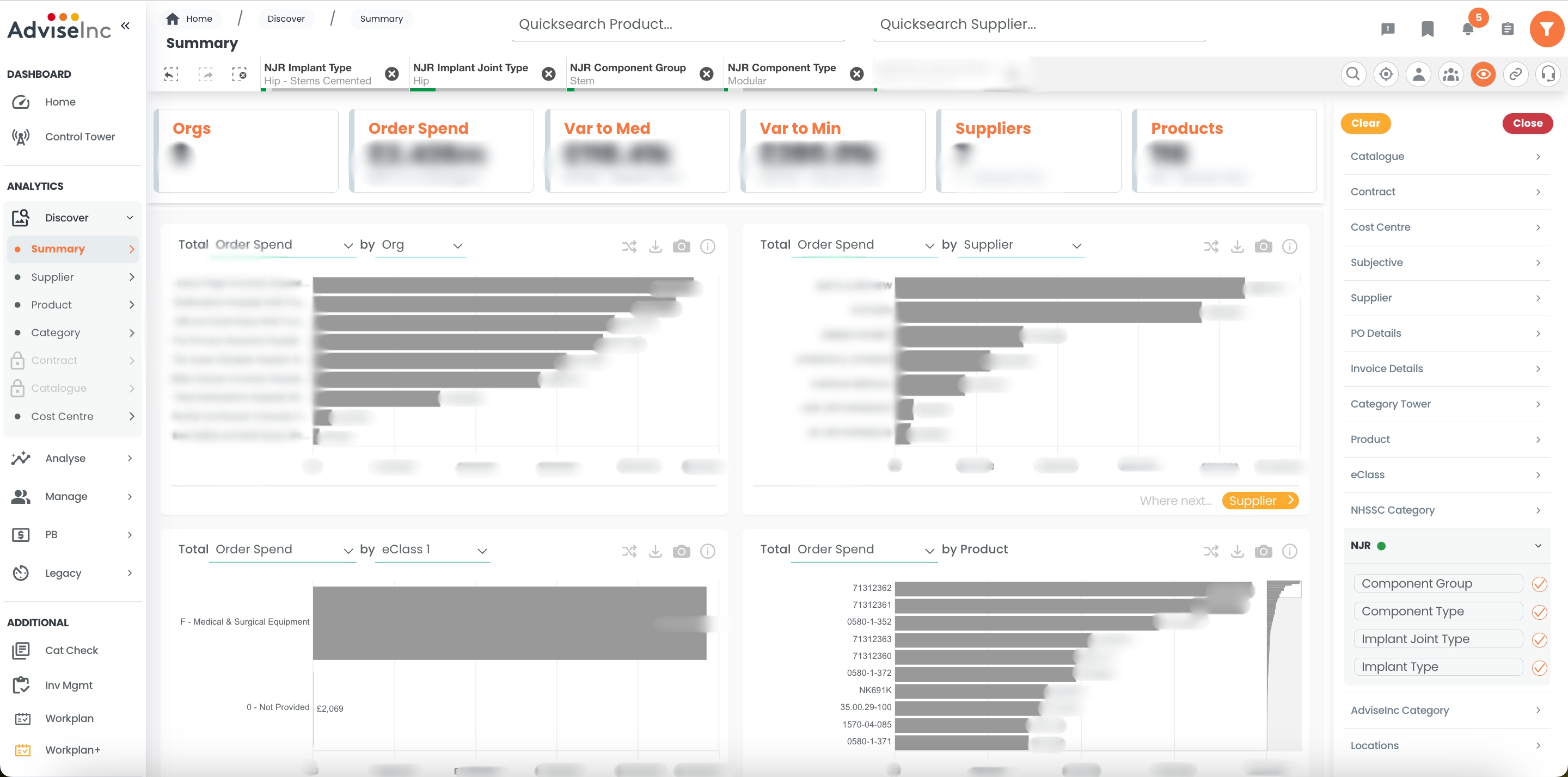
We have added the National Joint Registry categories to our Main Filters. You can now add any component and joint groups and types as selections in Platform.
Why have we done this?
We know that meaningful categorisation is key to extracting the best insights from your data, so we wanted to bring another way to categorise your clinical spend.
Where can I find this in Platform?
Filters- Funnel icon, top right corner
Select NJR
Type in any of the search boxes
Remember to hit the Tick to apply any selections
#3 - Understand your organisation’s Healthcheck Report
What is it?
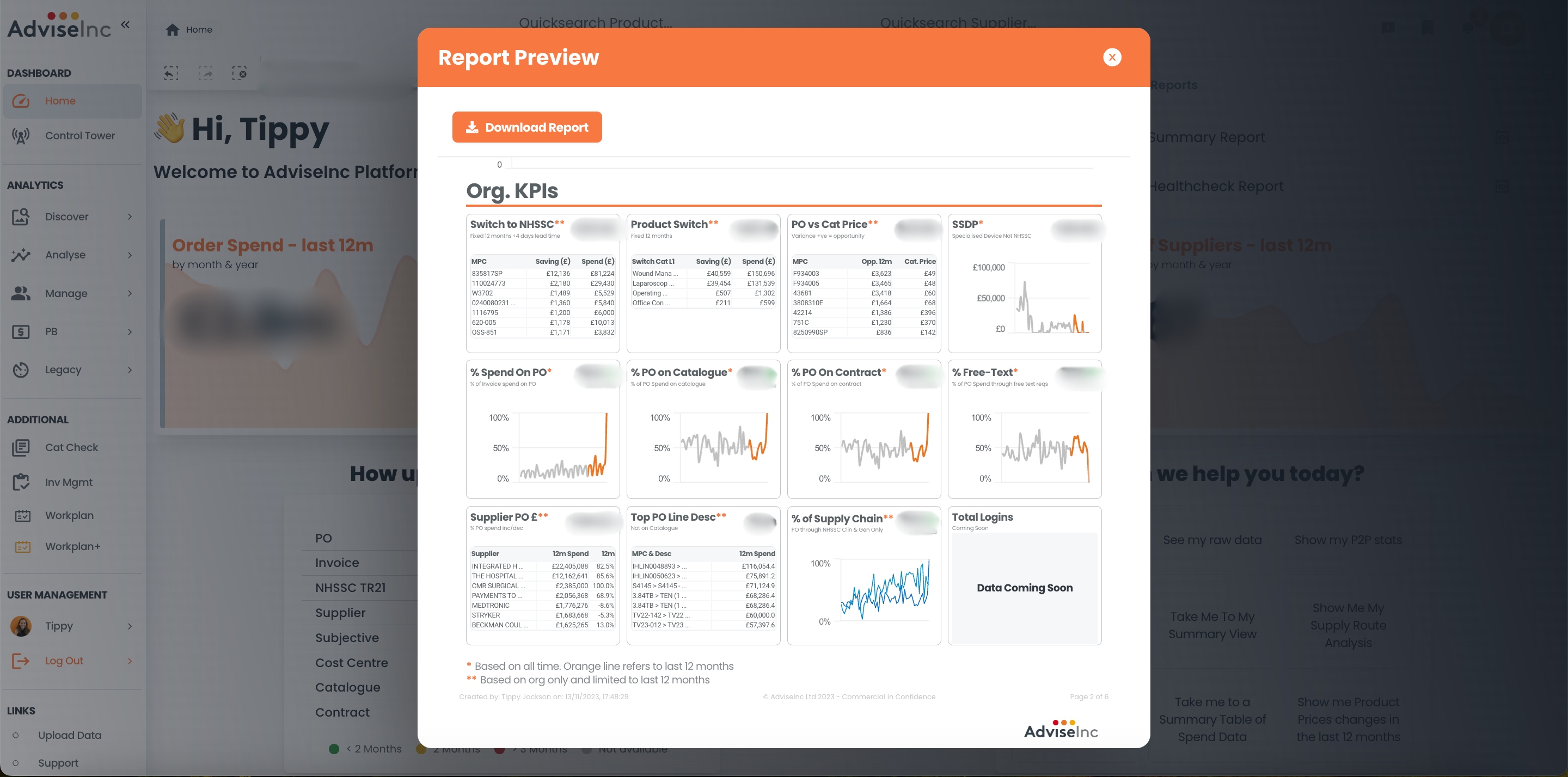
We have added more detailed descriptions throughout the Healthcheck Report to qualify the data and improve your insights. You can now see, next to each graph, what selections (e.g., dates, flags, or other filters) have been applied to the data.
Why have we done this?
We know that it is important for you to have visibility over what is included in all of your reports. We want you and your stakeholders to understand the content that is feeding each and every table and graph.
Where can I find this in Platform?
Make any selections you want for the Report (e.g., Cardiology, current FY)
Click Reports- Clipboard icon, top-right corner
Select Healthcheck Report
Download the Report to PDF if you choose
#4 - Quick Link to register new users
What is it?
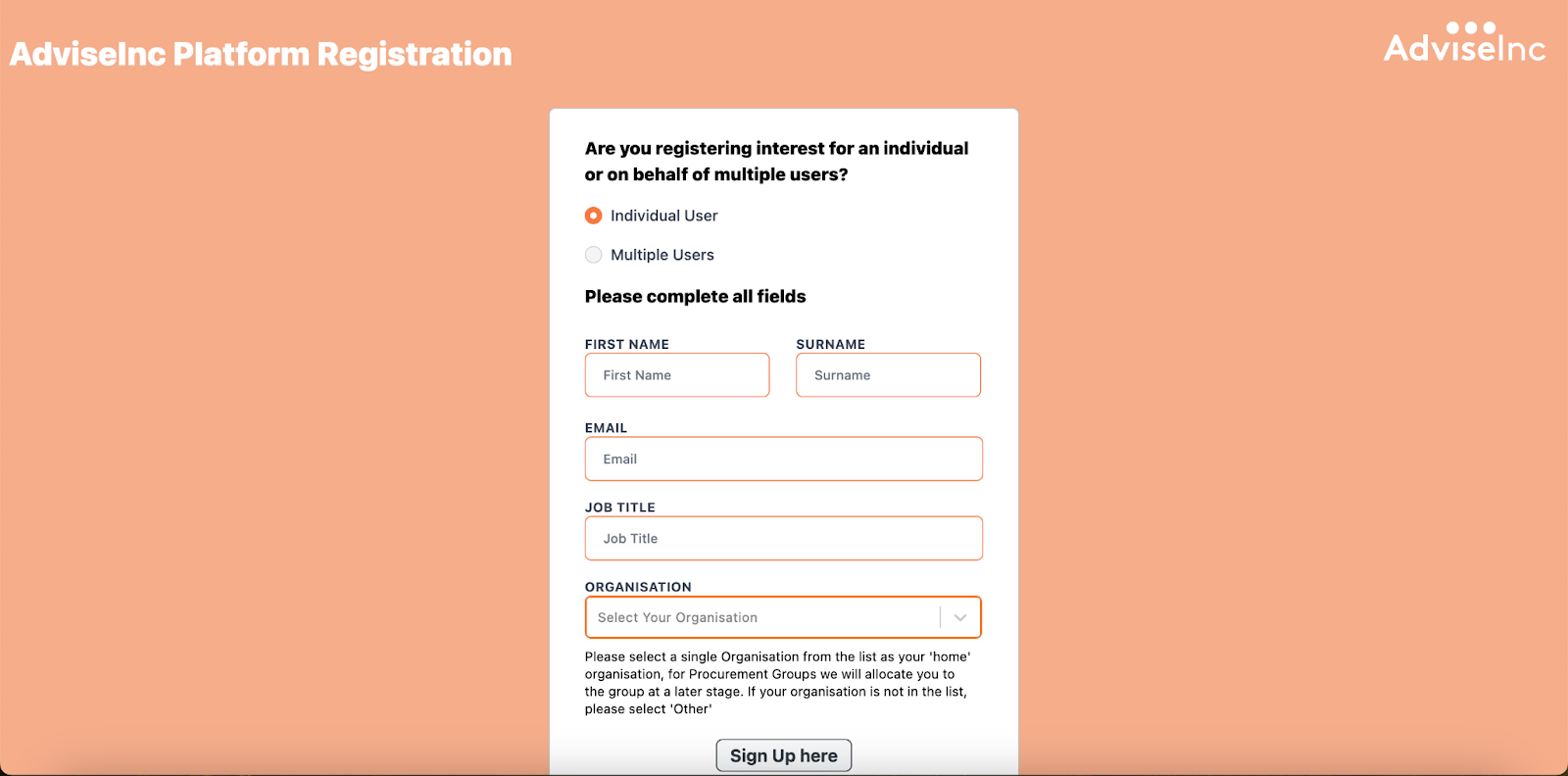
We have added a Quick Link to the Platform registration form, so that you can easily register any colleagues who require access.
Why have we done this?
We wanted to make it as easy as possible for you to register team members, so that anyone who needs it has access to Platform.*
Where can I find this in Platform?
Left-hand Navigation Panel- Links (Scroll down if you cannot see it)
Click Register New User
On the new tab, click “Sign Up”
Fill in the form from there, and click Submit
*Please remember that we will need to approve any new user requests with your organisation’s user approver. Following this, it takes 2-3 business days for new accounts to go live.
Bug Fixes
A full list of enhancements and bug fixes is available in Platform under the ‘CHANGELOG’ section, accessed from the left-hand navigation bar.
Future releases
We’re always working on new features. Here’s a sneak peek of some of the ones we’re working on for a future release.
Improvements to our Price Benchmarking section - if you want to be involved in this development reach out to the team at support@adviseinc.co.uk
Contact details so you can reach out to teams in other NHS Organisations
Was this article helpful?
That’s Great!
Thank you for your feedback
Sorry! We couldn't be helpful
Thank you for your feedback
Feedback sent
We appreciate your effort and will try to fix the article